
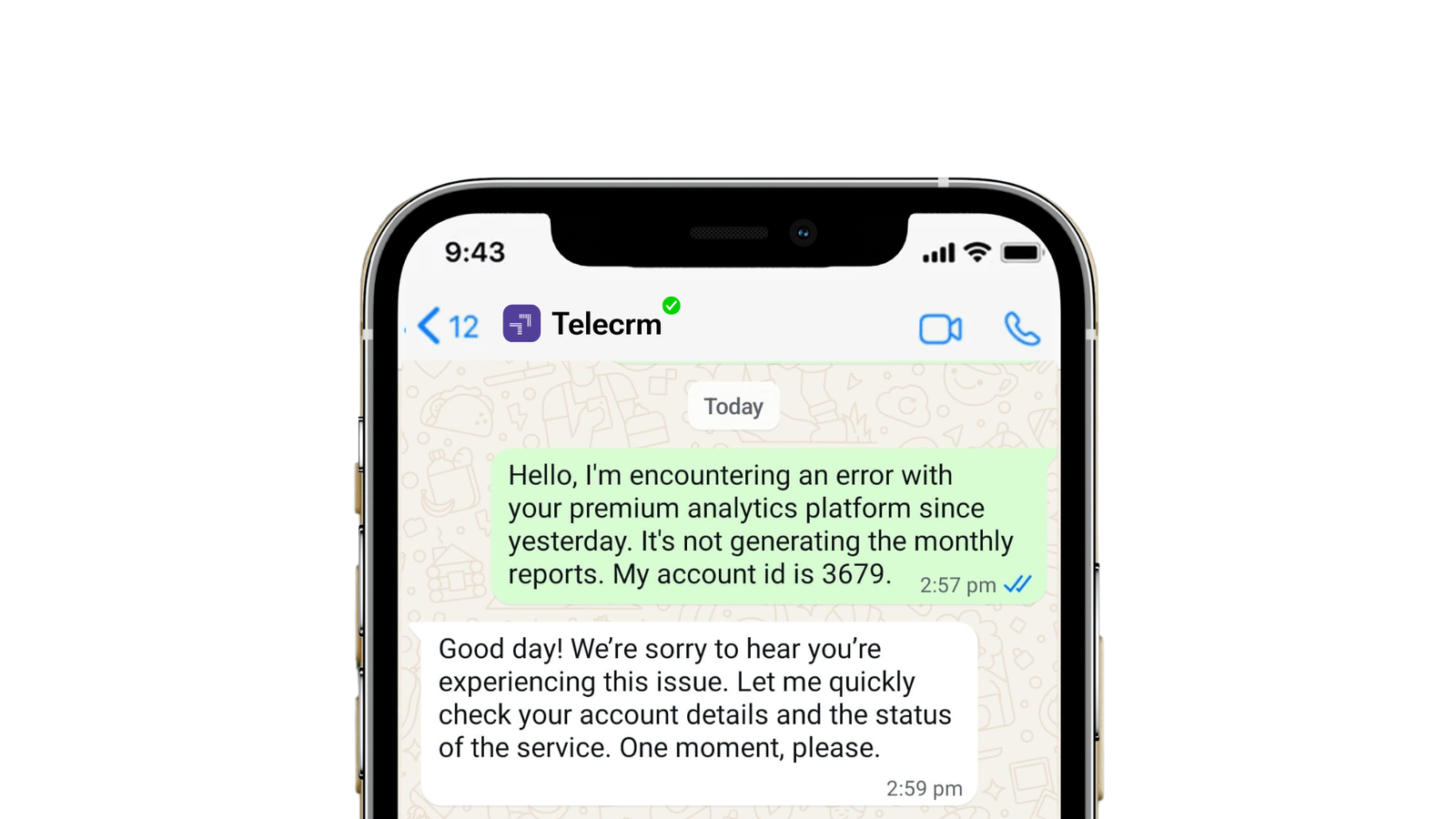

Have you ever felt like you’re in a never-ending race with your customers? You chase them with emails they never open, leave voicemails they never listen to and make calls they never answer.
Even when you reach them, you either get hold of the wrong customer or are too late to connect with the right one. In both cases, you lose goodwill and customers. And that is not an ideal situation for any business. After all, the customer is king and good customer support is what keeps the king happy!
Here’s where WhatsApp customer service can make a real difference. When paired with a WhatsApp CRM, it also gives your team the tools to track every conversation, assign leads and follow up without anything slipping through.”
In this article, we’ll see how you can use WhatsApp to streamline your customer support, increase customer retention, and cultivate their loyalty and goodwill!
I mean, why not? WhatsApp has 3 billion users worldwide with India being the country with the largest number of WhatsApp users at 538.5 million. And for all these people, WhatsApp is the primary mode of communication, not emails.
If you’re still not onboard the idea of using WhatsApp for customer service, you’re missing out big time. Every major company in India and even globally have started using WhatsApp for customer support. Simply because it’s quicker and more convenient. But how exactly can you use WhatsApp for customer service? What platform should you go for? Read the sections below to find out!

WhatsApp eliminates the need for phone calls and emails. Your customer may not always open their email or answer phone calls, but they almost always read their WhatsApp messages. It’s quick and convenient for both users and your customer support reps.
Some of the benefits of WhatsApp for customer service are:
1. High read rates: Messages on WhatsApp are seen and read more often than emails. This means your customers will likely notice and respond to your support messages.
2. Instant communication: WhatsApp allows quick, real-time conversations. You can solve customer issues faster since you’re chatting directly without the long wait times associated with email or calls.
3. It’s personal: WhatsApp lets you provide personalised customer service making customers feel more valued and it improves their overall experience with your brand.
4. Share multimedia: Sometimes text isn’t enough. WhatsApp lets you send images, videos and voice notes, which can help explain your offerings to customers.
5. Messages get through: Unlike emails that can end up in spam folders, WhatsApp messages don’t get flagged and reach your customers 100% of the time.
6. Automation: WhatsApp also supports automated responses that can handle basic inquiries even when your team is not available. It ensures that customers receive timely responses.
You can use WhatsApp as a customer service channel in one of two ways:
WhatsApp Business is a free-to-use software designed for small businesses. It’s ideal for basic use cases. If you have a small customer base, WhatsApp Business will be sufficient for all your customer support needs.
Related Read: How to change WhatsApp account to a Business account to learn how you can convert your existing account to a Business account.
WhatsApp Business API is a solution designed for larger businesses to communicate with their customers at scale. Though WhatsApp Business is free, WhatsApp Business API has two costs associated with it:
WhatsApp Business API allows you to use rich features like WhatsApp chatbot and automation for more complex customer support use cases. While you can set up WhatsApp Business on your own, Business API requires technical knowledge and can only be implemented with the help of a BSP (Business Service Provider).

Now that you know the various means available for you to harness WhatsApp for customer service. The next step would be to incorporate some of the industry’s best practices to ensure you provide top-notch support to your customers.
Here are the 10 ways to optimise your Whatsapp Business account or WhatsApp Business API for customer support:
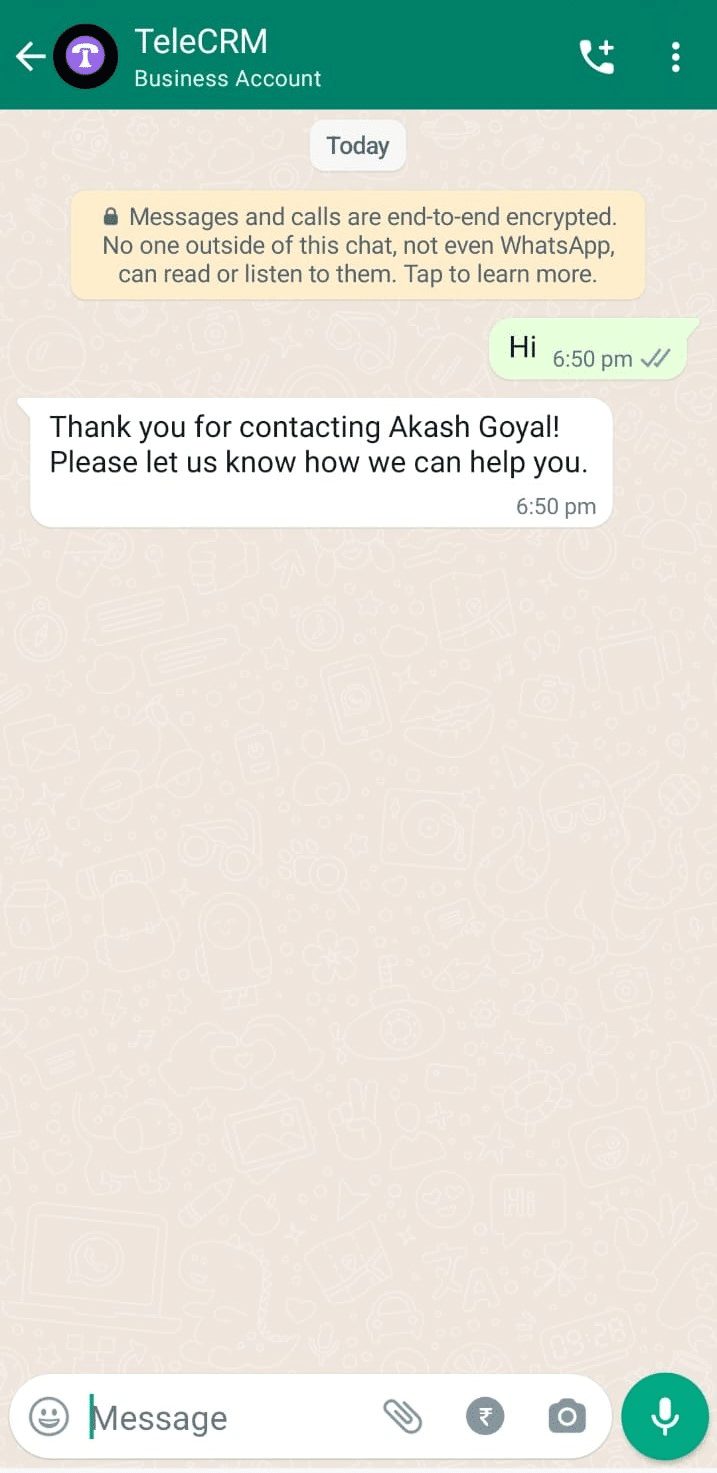
Popularly known as Auto-replies, once configured in the WhatsApp Business app, these messages are sent automatically to first-time customers or after a certain period of inactivity in an existing chat.
This initial message can be customised to introduce your business, thank the customer for reaching out or provide immediate assistance to address common customer queries. There are no restrictions in terms of customisation, which means the customer feels heard and valued when they receive one of these messages.
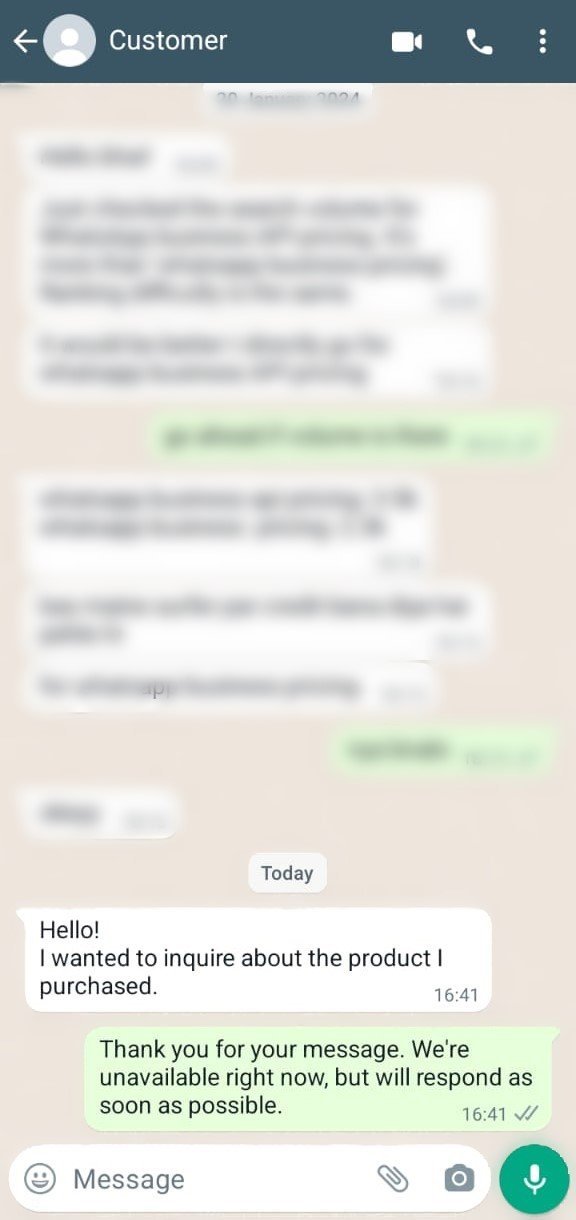
Similar to automated greetings, away messages are configured to automatically go out during specified times when your agents aren’t available to respond immediately. These messages can be customised to inform customers of your business hours or direct them to your FAQ page or emergency contact information.
Quick replies are a feature of WhatsApp Business designed to boost the efficiency of your customer support by allowing you to create and use pre-written responses for customers’ frequently asked questions. Quick replies are not automatic messages. You can only enable quick replies manually and you won’t have to type the message as you can select it from a list of pre-written responses.
You can set up quick replies for a variety of common questions or statements. Each quick reply is associated with a keyword or shortcut, so you can find and use them during conversations with ease.
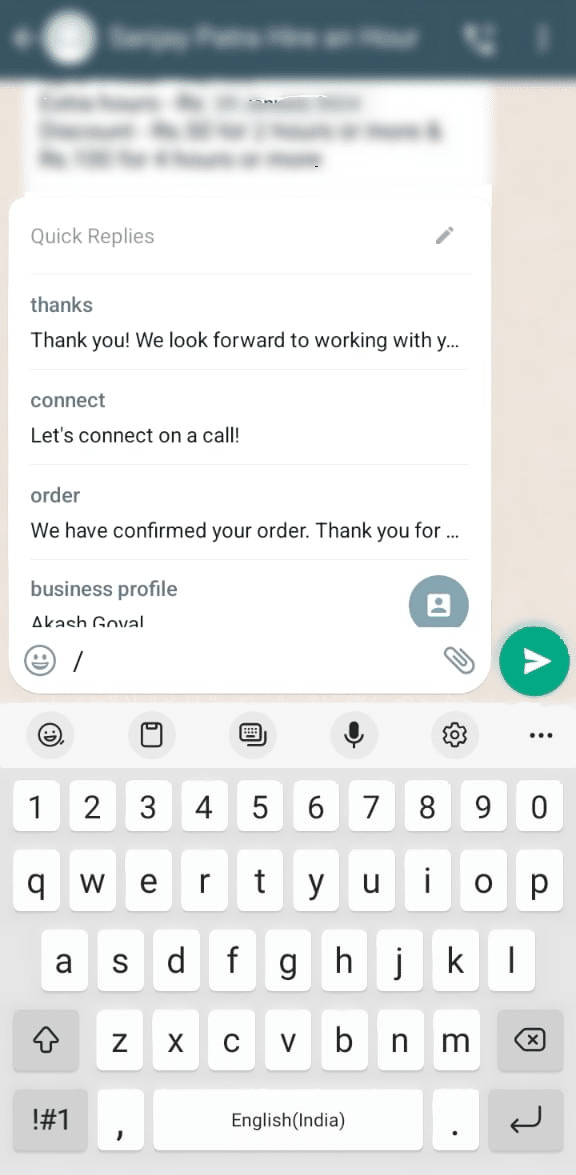
When a customer asks a question that matches a quick reply, your support team can insert the pre-written response using the shortcut. It’s quick, efficient and eliminates the need to type the same response repeatedly.
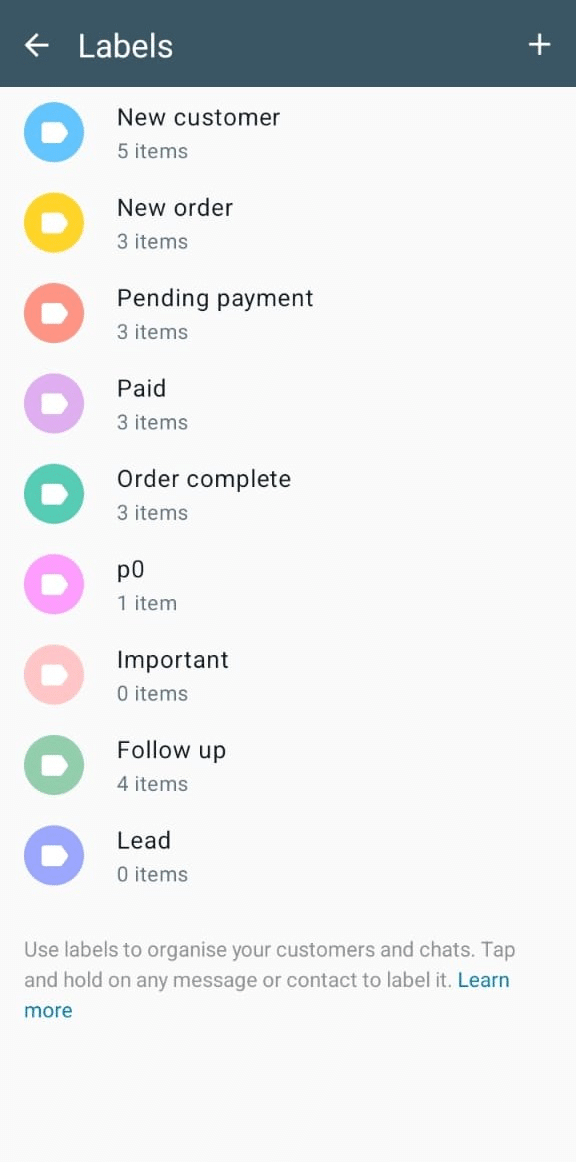
Labels allow you to categorise and organise customer conversations in WhatsApp Business. By assigning labels to chats, you can easily sort, prioritise and keep track of customer interactions based on various criteria such as query type, customer status or urgency level.
And guess what: engaging with the wrong customers at the wrong time will be a thing of the past. With labels, you can prioritise engageable conversations without much effort, ensuring the happiness of your customers.
Assign a dedicated support agent or a team of agents whose primary responsibility is to monitor incoming WhatsApp messages. Depending on your capability and customer needs, this can be structured around your business hours or extended to cover peak hours.
Equip your designated support staff with the necessary training on your products, services and customer handling skills. Providing them with the right tools and access to information will enable them to resolve queries efficiently.
You can design and deploy chatbots to respond to customer inquiries based on pre-defined triggers and responses. They’ll answer common inquiries on your agents’ behalf without you having to do anything!
A chatbot acts as a personal assistant when you or your team are not around. So whether you want to handle a query, inform your customer about the features of your product or service or collect feedback, the WhatsApp bot is all you need to handle common service conversations quickly and effectively. AI customer service tools like HubSpot Customer Agent can also handle common customer inquiries 24/7 across channels such as WhatsApp and hand off more complex issues to human agents.
But you should keep in mind that the WhatsApp chatbot cannot be integrated into WhatsApp Business. You’ll have to get WhatsApp API from a tech partner like telecrm to design and deploy a custom chatbot for your business.
WhatsApp automation and WhatsApp chatbot may sound like they’re the same but they aren’t. While chatbots are used to answer queries that the customers initiate, WhatsApp automation is used to send timely reminders about payments, schedule follow-up calls and even promote upselling and cross-selling opportunities by sending bulk WhatsApp messages.
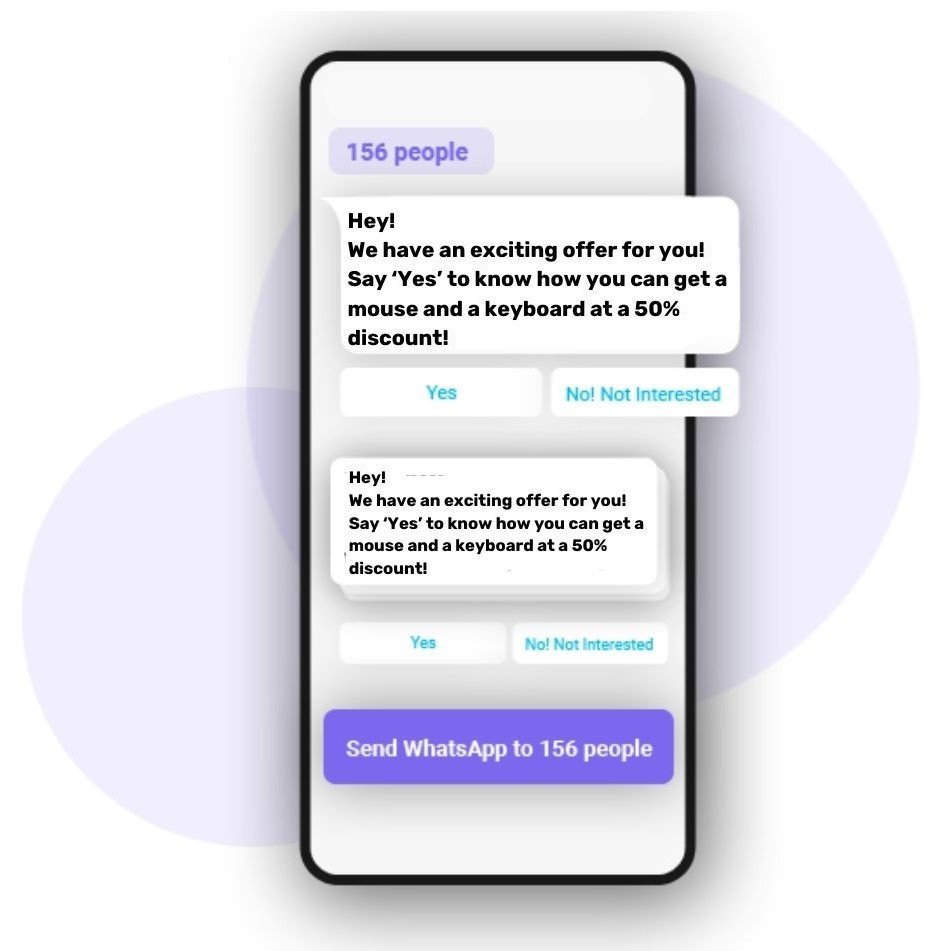
| Did you know? With telecrm, an official WhatsApp API provider, you can create as many automations for different purposes at the same time. You only have to set the automation once and you’re good to go. The automation can be about follow-up reminders, updating lead status, sending marketing sequences and much more! |
For example, if your customer has opted for a monthly subscription to one of your products, you can schedule a payment reminder to go out at the start of every billing cycle. So long as the customer doesn’t make the payment on time, you can keep the automation going. And the moment the customer makes the payment, the reminder will stop automatically without you having to do anything.
You can set up catalogs in your WhatsApp Business profile and add details like product images, descriptions, prices and the corresponding links. This catalog can be easily accessed by customers through their WhatsApp chat window.
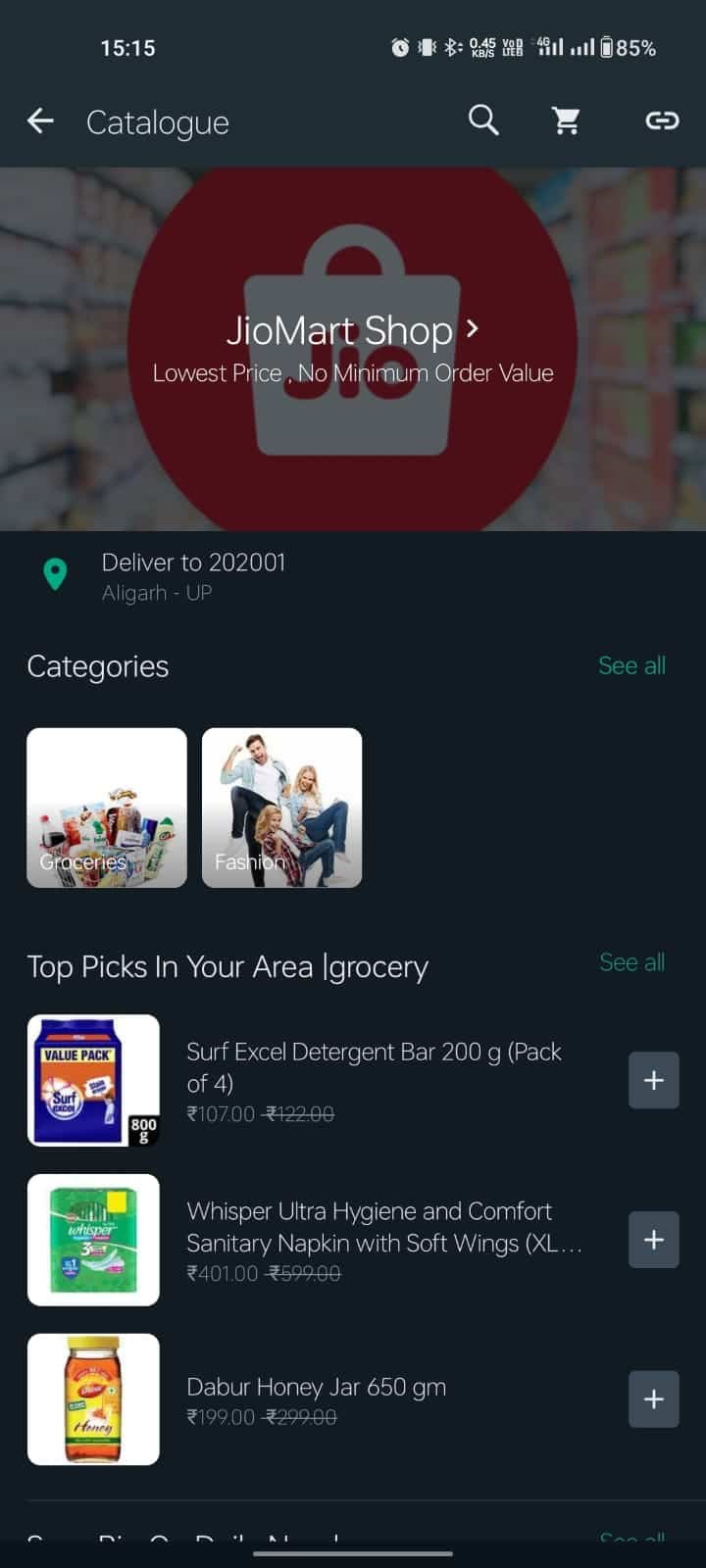
When interacting with customers, you can share specific products or services from your catalog directly in the chat, making it convenient for customers to see what you offer and ask questions or place orders immediately.
Related Read: How to create an e-commerce store on WhatsApp
Immediately after a customer places an order, send a confirmation message through WhatsApp. This message can include the order number, a summary of the items purchased and the expected processing time.
As the order progresses through various stages of shipping (e.g., processing, shipped, out for delivery), be sure to send updates to keep the customer informed about the shipping status. This can also include tracking information or estimated delivery times.
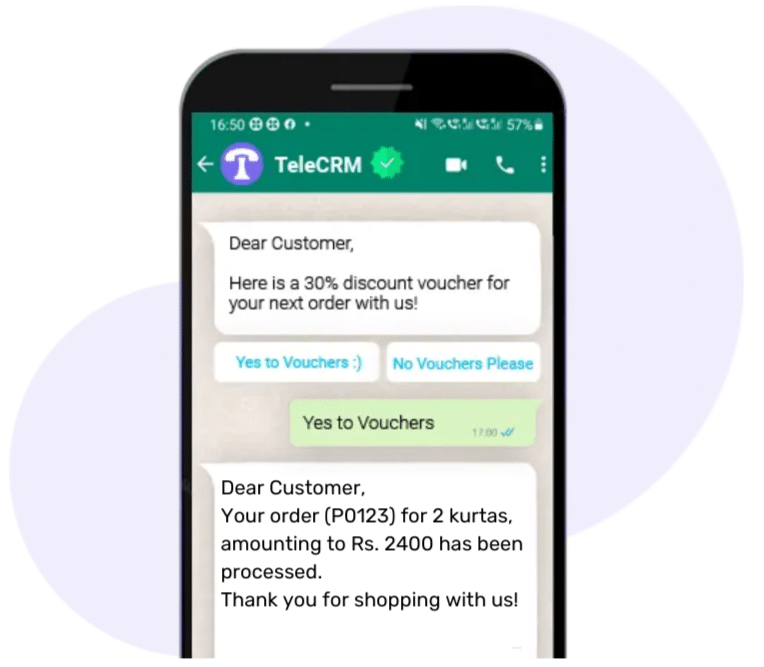
This way, your customers will have complete knowledge about when the order was placed, how to track the order and whether the payment has been received on your end or not- relieving them of going through emails and calling you for such updates.
It’s simple, easy and saves you a lot of time and trouble.
Collecting customer feedback on WhatsApp is easy. All you have to do is send a simple message encouraging customers to share their thoughts on the product or service they purchased.
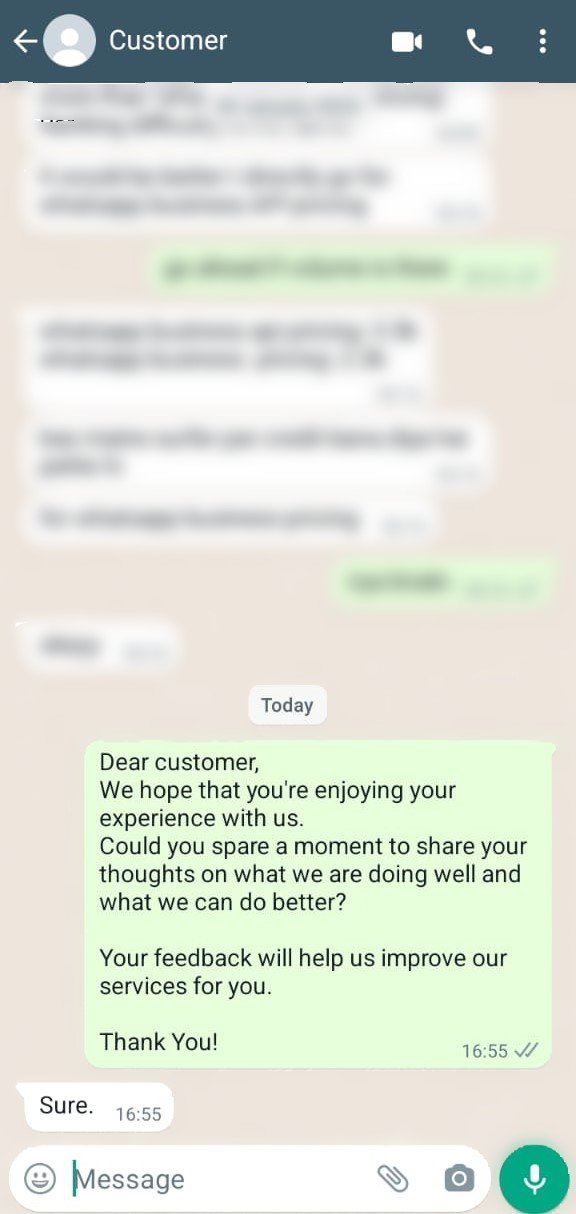
This not only gives you the insights needed to improve your product or service but also helps you gain a deeper understanding of user experience, which in turn allows you to improve your customer support operations further.
You also get a chance to get positive reviews and testimonials to build trust among new leads.
The third and lesser-known method of providing customer support is through WhatsApp tools like QR codes and widgets.
A WhatsApp QR code is essentially a shortcut for prospects to start chatting with your business on WhatsApp. Instead of typing in a phone number, anyone can scan the QR code with their smartphone’s camera and it instantly initiates a conversation with your agents. This code is specifically designed for customers looking for quick resolutions.
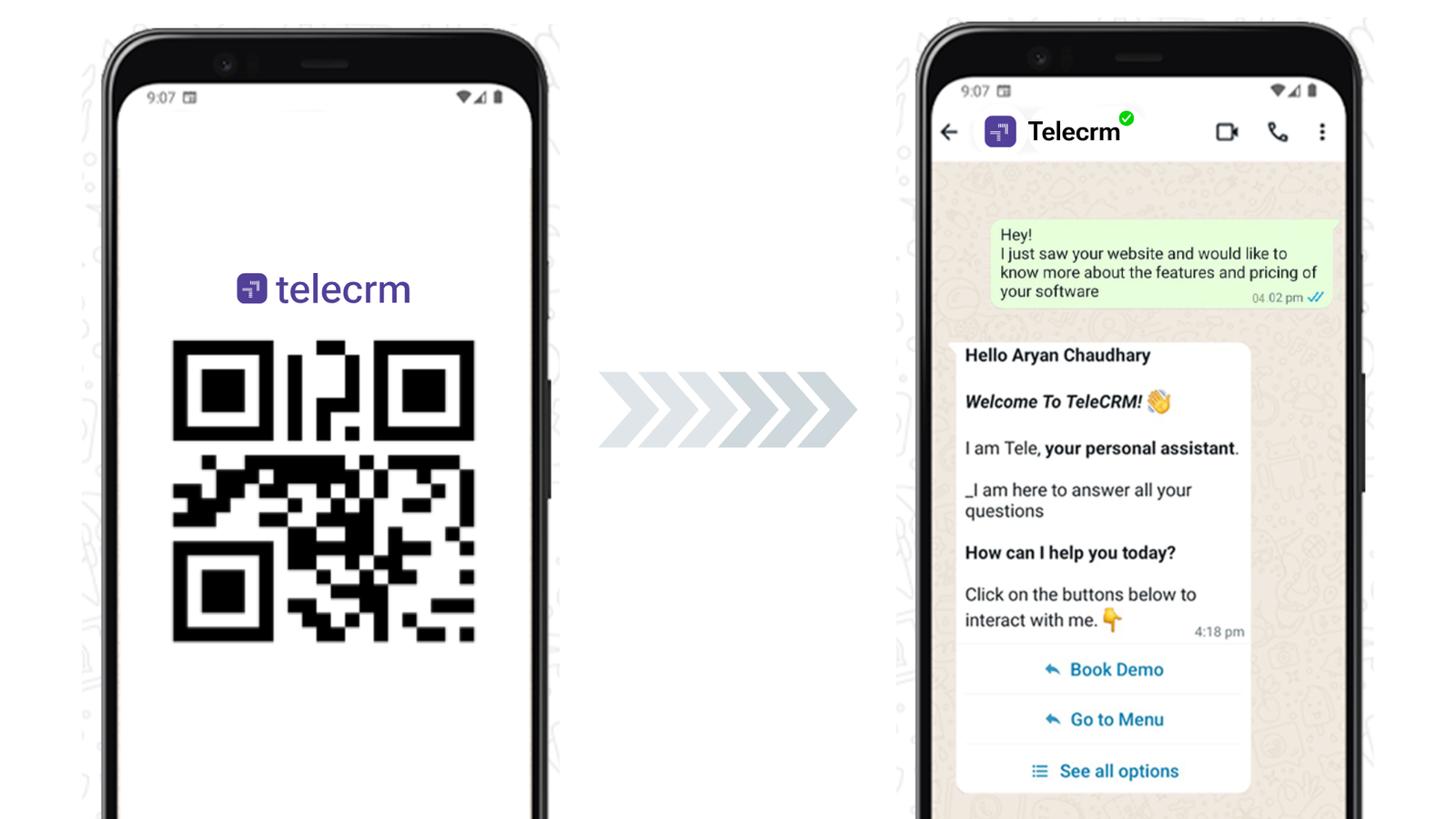
Simply put, if someone sees your WhatsApp QR code on your website, your social media pages or displayed in your physical store, all they need to do is scan it.
This action immediately takes them to a WhatsApp chat window with your business, making it super easy for them to get in touch and ask questions or seek assistance — all without the hassle of searching for and saving your contact details.
To get the most out of QR codes, place them in physical locations such as in-store displays, product packaging and marketing materials.
A WhatsApp widget is a tiny pop-up on your website that lets visitors quickly chat with your sales or support team.
Through this widget, a website visitor can reach out to your agents easily. They can send messages and get replies right away without having to look for CTAs, email addresses or phone numbers.
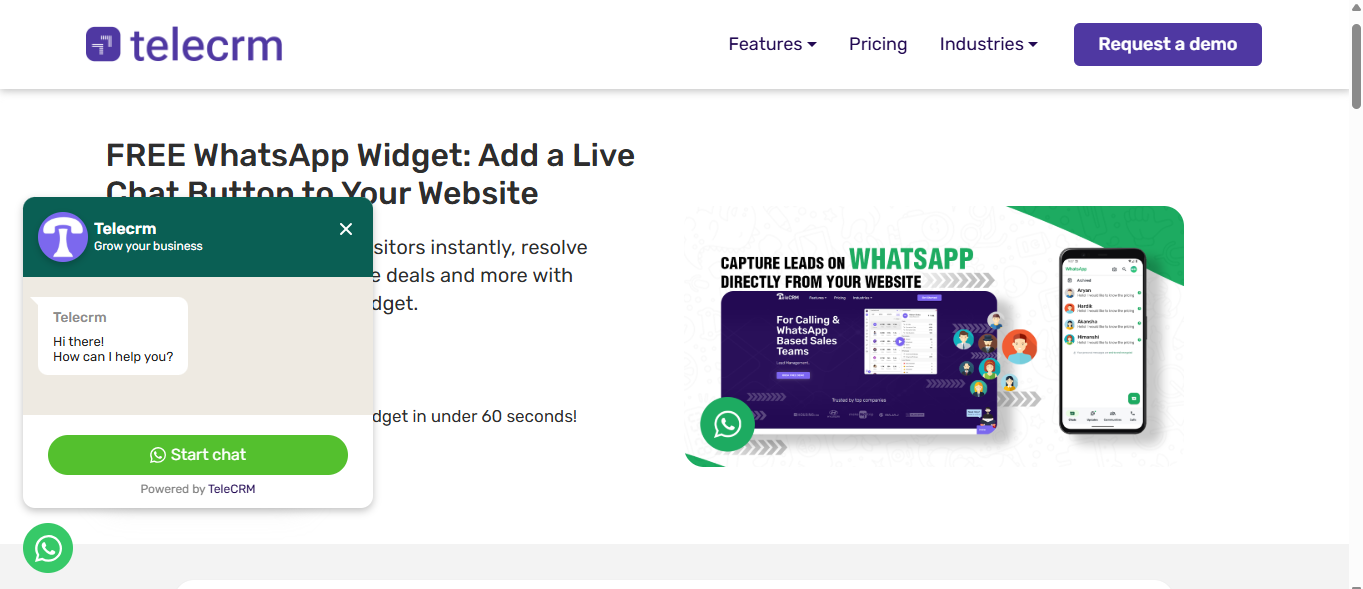
Place the WhatsApp widget on key pages of your website. Such as the contact page, footer or alongside product descriptions.
WhatsApp Business is a comprehensive tool IF you run a small business with minimal reliance on WhatsApp for customer service. You can only set one greeting or away message at a time, and it doesn’t have either automation or a chatbot. Plus, you won’t be able to track how your team is performing because of a lack of analytics.
As you have already read above, none of these limitations exist in WhatsApp Business API. You can create chatbots, run automations and promote your product or service to multiple people at once with bulk messages and much more!
And when you pair WhatsApp API with a tech partner like telecrm, you are in the driver’s seat, from the initial setup to round-the-clock support to integration with your existing systems, telecrm takes care of everything. And with integrated WhatsApp support features, your team is equipped to respond quickly and handle customer needs efficiently and handle all conversation categories that official WhatsApp API provides: Marketing, Utility and Service conversations.
And the best part: you get a WhatsApp CRM to manage all your WhatsApp customers at ZERO additional cost.
Apart from automation and chatbot, telecrm’s WhatsApp CRM is a tool that can manage your customers throughout the customer journey — from lead generation to conversion to customer support.
Some of the best features of telecrm’s WhatsApp CRM are:
Lead management: Capture and manage all your WhatsApp leads from one central hub. You can even assign these leads to your sales reps automatically without any hassle.
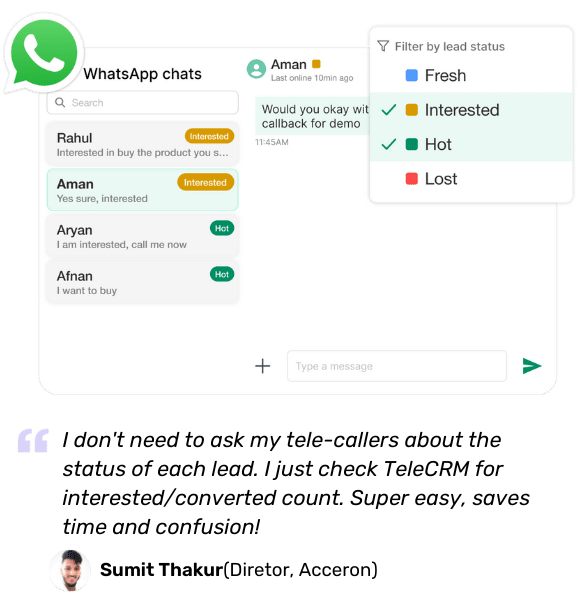
Track lead history: Track the entire customer interaction history to provide timely and relevant support at every stage. This helps you understand customer context and build better customer relationships through more relevant and timely conversations.

Call management: Seamlessly initiate calls and schedule follow-ups from within WhatsApp Web and streamline communication with leads and customers.

Performance tracking: Gain insights into how well your team is performing, i.e., how many deals were closed, number of upsells and cross-sells, retention rate, etc., from one central hub.

If you play your cards right, you can use WhatsApp to deliver responsive customer service that’s friendly, fast and efficient.
You can use WhatsApp Business or WhatsApp Business API, and WhatsApp tools like QR code and widget, to optimise WhatsApp for customer service.
Even though WhatsApp Business is a comprehensive solution for customer support, it’s only suitable for small businesses. On the other hand, WhatsApp Business API is designed for relatively larger businesses that rely on WhatsApp to run their support operations.
Remember to analyse your needs first before deciding to invest in a platform.
Did we mention that you can generate WhatsApp tools for free with telecrm? And if you’re strategic with their placements, you could further optimise WhatsApp for customer service.
So, what are you waiting for? Transform your WhatsApp into a customer support machine with telecrm today!
Contact our sales team to know more.
Yes. Small businesses can use the WhatsApp Business app for free to handle customer queries. It allows you to set greeting messages, away messages and quick replies. For businesses that get a higher volume of queries or want to use chatbots and automation, the WhatsApp Business API through a provider like telecrm is the better option.
The WhatsApp Business app is free and works for small teams handling a limited number of chats manually from one device. WhatsApp Business API is designed for growing businesses that need multi-agent support, chatbots, automation and integration with a WhatsApp CRM. The API allows your entire support team to manage conversations from one shared number across multiple devices.
A WhatsApp chatbot handles routine queries automatically, such as order status, pricing, appointment bookings and FAQs, without needing an agent for every message. This means your team can focus on conversations that need personal attention while the chatbot handles the repetitive ones around the clock.
A WhatsApp CRM like telecrm centralises all your WhatsApp customer conversations in one place. Your team can see the full chat history for every customer, assign conversations to the right agent, track response times and send automated follow-ups, all without switching between WhatsApp and a separate CRM tool.



© Copyright 2026 telecrm.in (Flamon Cloudtech Pvt Ltd) - All Rights Reserved • Privacy Policy • T&C



© Copyright 2026 telecrm.in - All Rights Reserved • Privacy Policy • T&C