
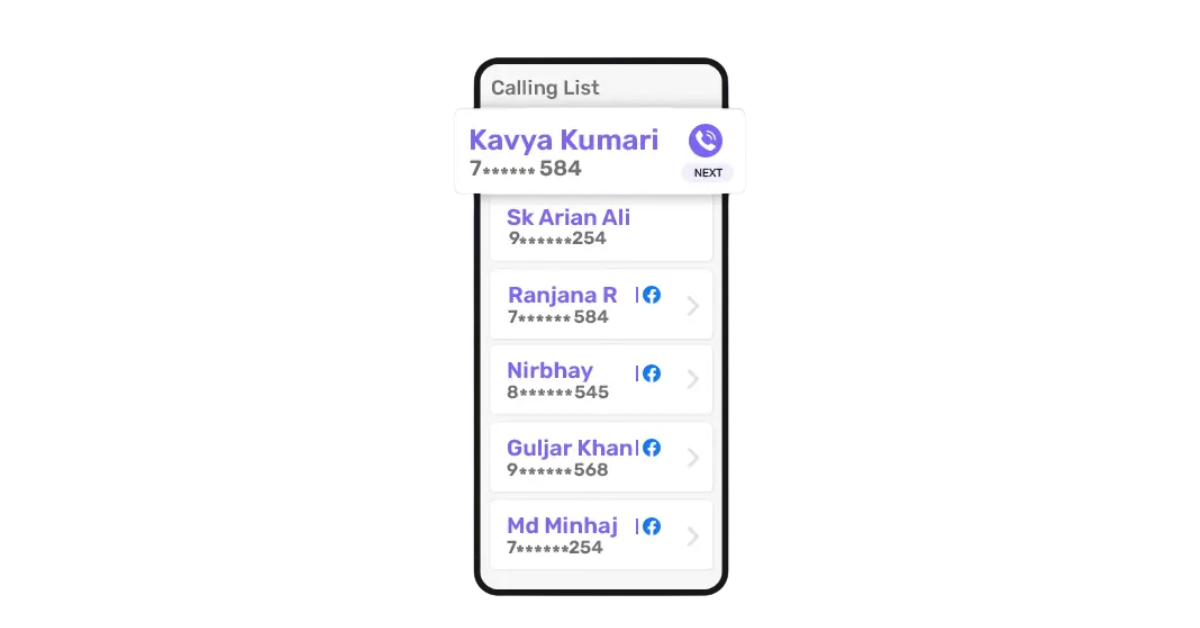
In education, your team can’t afford the delays of manual dialling, busy signals or unanswered calls.
That’s where an auto dialer transforms the way you work. It automatically dials numbers, skips disconnected lines and puts your agent straight through when someone answers.
Predictive dialers can boost agent productivity by up to 80 %, letting your team work smarter.
In this guide, you’ll discover how auto dialer software can help education teams reach more customers, save time and enhance customer engagement.
Whether you’re an edtech startup, a coaching centre or a university admissions office, your sales team has one common goal: reach more students, faster.
But here’s the problem: manually dialling hundreds of numbers every day wastes hours. Reps hit busy signals, disconnected numbers or simply forget to follow up. This leads to wasted time, low conversions and missed opportunities.
An auto dialer solves that.
It automatically dials from a list of student or parent phone numbers, skips unanswered calls and instantly connects the rep when someone picks up. No more switching tabs, copying numbers or checking notes. The system handles everything.
The autodialer for the education team isn’t just a nice-to-have — it’s fast becoming a necessity for institutions that want to grow without relying on manual dialling and messy follow-up spreadsheets.
Here’s who uses it:
In short, any team involved in lead management, cold calling or follow-ups can benefit from a structured dialling process that reduces human error and increases reach.
A good system eliminates idle time, improves call coverage and increases response, while staying compliant with rules like the Telephone Consumer Protection Act.
If you’re serious about not losing deals due to inconsistent outreach or follow-up gaps, choosing the best auto dialer software is the first step.
Choosing the best auto dialer software for your education team isn’t just about speed — it’s about how well the tool fits into your existing systems, simplifies your dialling process and boosts operational efficiency while staying compliant with regulations like the Telephone Consumer Protection Act.
Here’s what to prioritise when picking an autodialer for education teams:
Manual data entry slows your team and increases errors. An education-focused dialling system must integrate smoothly with your CRM software, allowing real-time access to contact history, automating notes and triggering reminders — all without switching tabs. This kind of automated dialling improves speed and helps in closing deals faster.
Different campaign types demand different dialer modes in CRM workflows
Having flexible dialer options ensures your team gets the right balance between productivity and control.
Modern auto dialling tools should detect busy signals, disconnected numbers and voicemails, so agents aren’t wasting time. This level of automation streamlines the dialling process and improves team morale by letting them focus on real conversations.
Quality control, coaching and performance tracking depend on access to call recording and call tracking in real-time. The right software logs every interaction, tracks call metrics and shows outcomes to help you improve outreach efforts and make data-driven decisions.
If your auto dialer isn’t intuitive, it’s not useful. Look for a tool that’s easy to learn and works well even on a stable internet connection with limited bandwidth. Features like smart search, live dashboards and click-to-call buttons reduce manual dialling and increase focus on making calls.
To stay compliant with the Telephone Consumer Protection Act, your auto dialer should manage calling limits, time zones and caller ID settings. Additionally, features like unlimited calls (with fair use), automating repetitive tasks and CRM sync ensure your reps spend more time connecting, less time logging.
Switching from manual dialling to an auto dialer isn’t just about saving time; it’s about transforming how your team connects with students, parents or leads at scale.
Here are the biggest benefits education teams see after adopting auto dialer software:
Auto dialers automatically dial numbers from your lead list, skipping unanswered calls, busy signals and disconnected numbers. This drastically reduces idle time and lets your team focus on real conversations, not ringing phones.
With the system handling repetitive dialling tasks, agents can spend more time speaking to interested leads. Dialers also route calls to the right agent based on availability and priority.
Every call, note and status update is logged automatically. Your team can track call outcomes, schedule timely follow-ups and organise leads based on their interest or urgency, all within the system.
Access to real-time analytics and detailed call metrics helps managers make data-driven decisions. You can see how many calls were made, how many were answered and how long each rep stayed on the phone.
The best auto dialers connect with your CRM software, syncing call data with lead records. That means reps always have the full context, including campaign source, past conversations and stage in the sales process.
By reducing wait times and ensuring smoother conversations, auto dialers help your team create a more responsive, human experience, the kind that improves customer satisfaction, builds trust and increases customer engagement over time.
Not all auto dialers work the same way. The right type depends on your team size, agent availability and how much control you want over each dialling process.
Here are the four main types of auto dialer software options used in education and sales teams:
A predictive dialer uses algorithms to call multiple leads at once, based on agent availability. It connects only answered calls and filters out busy signals, voicemails or disconnected numbers.
It’s ideal for large teams running outbound calling processes like bulk cold calls or follow-up campaigns.
Best for: Maximising talk time, high-volume lead calling.
Not ideal for: Smaller teams or complex conversations
A power dialer calls one lead at a time, automatically moving to the next number once a call ends or is unanswered. It maintains a faster pace than manual dialling without overwhelming your reps.
Best for: Mid-size teams doing structured follow-ups or demo calls
A progressive dialer waits for an agent to become available before dialling the next number. It’s slightly slower than a predictive dialer but avoids dropped calls or overwhelmed reps.
Best for: Teams who want speed with more control
A preview dialer allows agents to see lead information before dialling. This gives them time to check contact details, recent activity or CRM notes before starting the conversation.
Best for: High-value leads, admissions counselling or sensitive calls
Each type of dialer is designed to suit different business needs and the right one depends on your workflow, team size and sales process.
Here are the top auto dialer tools that help education teams boost agent productivity, reduce manual dialling and deliver a smoother customer experience across all touchpoints.
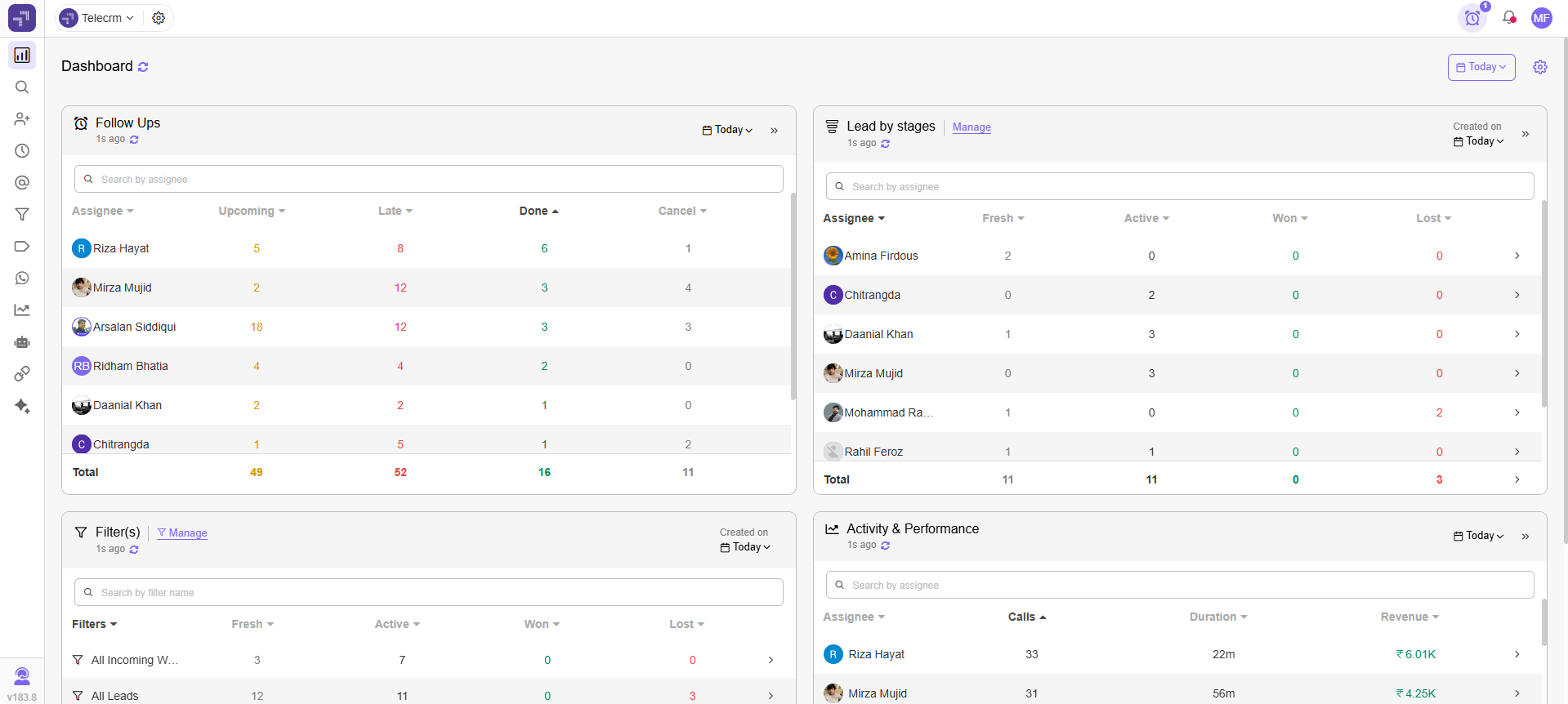
Telecrm is a CRM for education software built for Indian sales teams that offers a full-featured auto dialer, WhatsApp automation and lead tracking in one tool. It’s especially well-suited for edtech companies, coaching institutes, counselling centres and universities that rely heavily on outbound calling processes.
Best for: Education teams looking for an affordable, easy-to-use dialer with inbuilt CRM and WhatsApp, without needing separate tools or complex integrations.
Pricing: Starts at ₹599/user/month
Related read: Best CRM for schools
CallHippo is a VoIP-based dialer platform offering multiple features like power dialer, call logging and multi-region number support.
Best for: Education companies with remote teams that need access to toll-free numbers and want to appear local to their leads.
Pricing: Starts at $16/user/month
Ozonetel is a full cloud contact centre solution that includes a predictive dialer, live call tracking and API support.

Best for: Institutes or admission centres making thousands of daily calls and managing large agent availability pools.
Pricing: Custom plans based on call volume and seats
Exotel is a cloud telephony platform used by large Indian enterprises and education players for high-volume outbound call needs.

Best for: Call-heavy use cases like bulk student follow-ups or centralised call centre-based operations.
Pricing: Custom quote based on usage
JustCall is a popular choice among SaaS and edtech sales teams for its smooth UX, multiple dialer modes and solid integrations.

Best for: Remote or hybrid teams that need quick setup, CRM syncing and cross-channel communication.
Pricing: Starts at $29/user/month
MyOperator is a cloud-based call centre solution tailored for Indian businesses that need detailed call metrics, a simple UI and CRM integration.
Best for: Education institutes running both inbound support and outbound calling processes like admissions or fee reminders.
Pricing: Starts at ₹999/user/month (custom pricing for advanced dialers)
Advantages
Freshsales combines CRM software features with built-in auto-dialling, WhatsApp integration and email outreach tools, ideal for managing lead generation and customer engagement from one place.

Best for: Education brands that want to combine dialling with CRM, email campaigns and pipeline automation.
Pricing: Starts at $15/user/month (Growth plan)
RingCentral is a leading VoIP platform with a powerful auto-dialer, video calling and omnichannel communication tools for large education teams.
Best for: Universities or global edtech platforms handling international student recruitment or distributed teams.
Pricing: Starts at $30/user/month
Knowlarity is a scalable auto dialer and IVR solution with strong backend reliability, used by many large Indian edtech players.

Best for: B2C education businesses running thousands of calls per day.
Pricing: Custom pricing
CloudTalk is a cloud-based dialling system with strong global calling features and real-time dashboards for remote teams.

Best for: Education teams working across geographies or offering international courses.
Pricing: Starts at $25/user/month
VoxDesk is a modern auto dialer designed to automate sales outreach and increase agent productivity through smart workflows and automated dialling features.

Best for: Early-stage edtech or career counselling teams focused on cold calls and nurturing high-intent leads.
Pricing: Free plan available; paid plans start at $15/user/month
SalesBlink is an outreach automation tool offering cold email, auto dialling and LinkedIn sequencing — all in one.

Best for: Edtech B2B sales teams or admission teams doing high-touch, multichannel outreach.
Pricing: Starts at $49/month (not per user)
NeoDove is a telecalling automation tool built specifically for Indian SMEs, edtechs and franchise-based education chains.
Best for: Calling large volumes of student leads generated via online ads or offline events.
Pricing: Custom (volume-based)
Related read: CRM for educational institutions
Your team can’t afford to waste hours on manual dialling, checking for disconnected numbers or switching between tabs to log follow-ups.
A modern auto dialer helps you:
Whether you’re in admissions, edtech or student counselling, the right auto dialer software can transform your outreach efforts and deliver measurable results — better answer rates, faster conversions and improved customer satisfaction.
So instead of asking “Do we need one?”, the real question is:
Which auto-dialer will help us connect with more students, faster and do it without burning out the team?
Book a demo now if you want to see how Telecrm helps Indian education teams automate their calling, boost conversions and never miss a lead



© Copyright 2026 telecrm.in - All Rights Reserved • Privacy Policy • T&C



© Copyright 2025 Telecrm.in - All Rights Reserved • Privacy Policy • T&C