
Sales teams make hundreds of calls every day. But businesses still struggle to answer these basic questions:
This problem usually exists for two reasons.
First, call and follow-up progress is updated in Excel sheets. These sheets depend on manual updates, which may not always be accurate.
Second, most sales reps make calls directly from their mobile phones using SIM cards. The call history stays inside their phones.
To track anything, managers will have to check their reps’ mobile phones and then compare the information with Excel sheets just to understand what actually happened.
This makes tracking calls slow, unreliable and difficult.
A SIM-based call tracking system solves this problem by automatically recording and tracking all SIM calls from a centralised hub.
In this article, we’ll see how SIM-based call tracking works, what software you’ll need to accurately track calls and how you can optimise your calling process!

SIM-based call tracking is the process of monitoring business calls made through sales reps’ mobile phones to leads and customers.
There are three ways businesses usually try to do this.
First, you can enable call recording on your sales reps’ phones (if the device supports it) and manually check those recordings by taking their phones and reviewing the call history.
Second, you can use a call tracking app that syncs with the phone’s call logs and captures important call metrics automatically. These apps track details like call duration, missed calls and overall call activity from the sales reps’ devices.
And third, you can integrate a CRM with a built-in call management system. Here, all inbound and outbound calls are logged automatically in a centralised dashboard.
In this article, we’ll be discussing only the second and third options, because tracking phone calls by confiscating your sales team’s phones is obviously something you cannot do!
The underlying process is largely similar in both call tracking apps and CRM software.
To capture call recordings, the sales rep’s mobile device must support call recording functionality.
Once the required permissions are enabled, the mobile phone connects with the external platform — either the call tracking app or the CRM.
From that point onward, the system syncs the phone’s call logs with the platform.
Whenever a sales rep makes an outbound call or receives an inbound call, the call details are automatically captured and logged into the connected system.
This typically includes information such as:
(This info varies from solution to solution)
And because this information is synced on a centralised dashboard, managers can easily view call activity across the team and analyse calling patterns.
Instead of manually checking each sales rep’s phone, businesses can monitor call performance, track activity levels and evaluate team productivity from a single platform.
Call tracking apps are primarily built to monitor calling activity. Their main focus is to capture call logs, call duration and other basic call metrics from sales reps’ phones. Managers can use these reports to understand how many calls the team is making and how actively sales reps are engaging with leads.
While they can track calls, they may not always provide full visibility into the lead journey. Information about leads, follow-ups and deal progress often needs to be managed in another tool or spreadsheet.
So businesses often end up integrating the call tracking app with a CRM for better visibility.
CRM software, on the other hand, provides more than just call tracking. It gives you a 360-degree view into your entire sales process.
For example, when a sales rep calls a lead, the CRM automatically logs the call inside the lead record. Managers can then see the call details, follow-up notes and lead status changes in the same place.
This makes it easier to understand not only how many calls were made, but also how those calls are influencing the movement of leads through the sales pipeline.
Plus, you get a plethora of additional features for lead management and nurturing:
Because everything is connected within one system, businesses can track both calling activity and sales progress without switching between multiple tools.
So essentially, the right CRM means a call tracking app + lead management system + an automation suite, while a call tracking app will have to be integrated with a CRM platform to provide lead management and automation.
At this point, the decision becomes fairly simple.
If your only requirement is to monitor how many calls your team is making, then a basic call tracking app may be enough. You can explore options like Aircall, RingCentral, CallRail and Twilio, etc.
On the contrary, if you want a system that not only tracks calls but also helps your team organise leads, manage follow-ups and automate parts of the sales process, then choosing a CRM becomes the better option.
Platforms like telecrm combine SIM-based call tracking with lead management, automation and communication tools inside one system.
Here’s what you can do with telecrm:
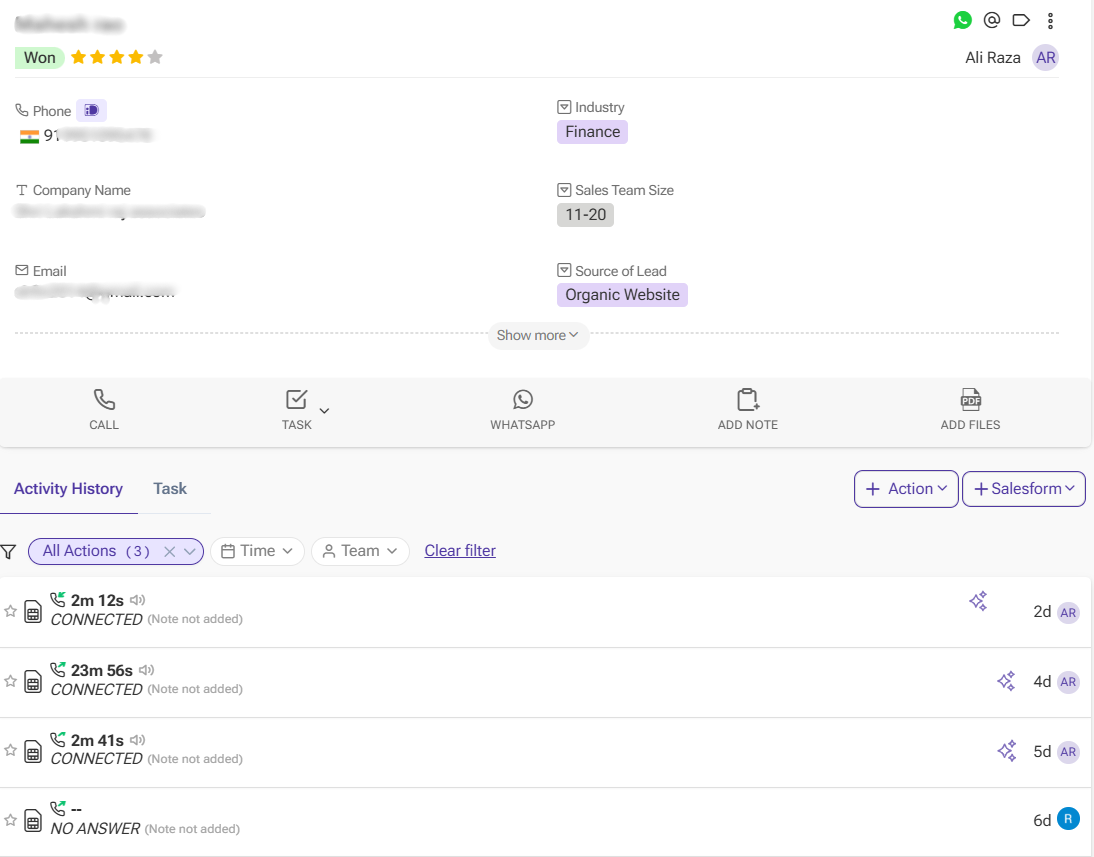
Every SIM-based call made or received by your sales team is logged automatically in the CRM system. There’s no need to enter details manually after each conversation — call duration, time and status get recorded in the system and linked to the right lead. This saves time and eliminates the need for manual reports.
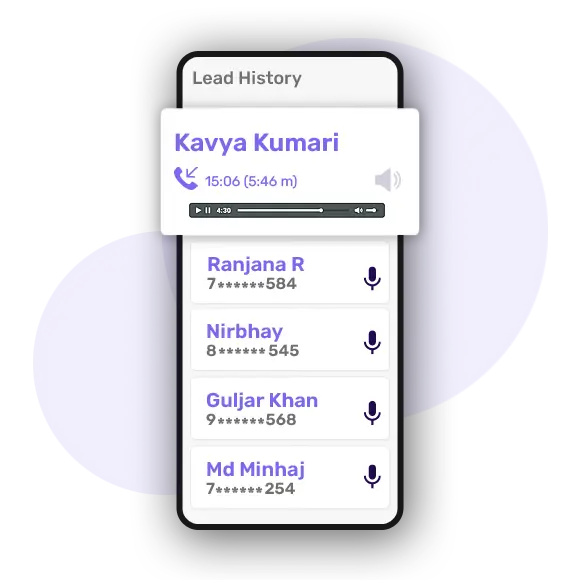
In telecrm, the call recording feature allows managers to review real conversations when needed. It records every incoming and outgoing call made and attaches the recording to the lead profile on the lead page.
It is useful for:
Instead of relying on a verbal update, managers can listen to the actual business call and know what really happened.
Quick read: Sales Call Recording: How It Improves Coaching, Conversions and Accountability
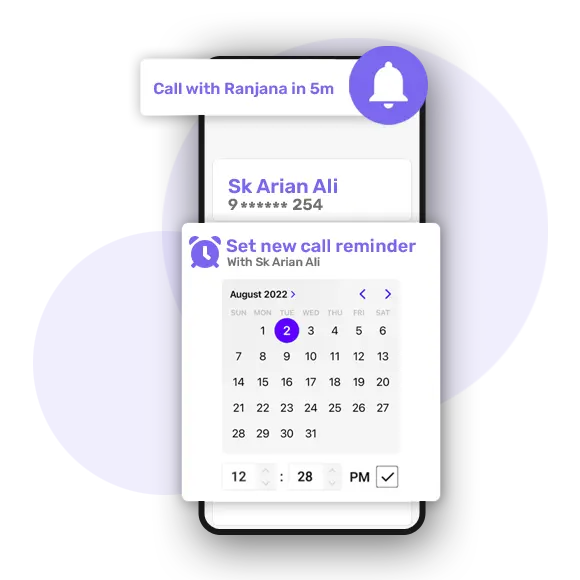
telecrm allows teams to create follow-up reminders and task assignments directly from the CRM.
After a call, a sales rep can schedule the next follow-up and the system will automatically notify them when it is time to reconnect with the lead. Managers can also assign tasks to team members and track whether follow-ups are being completed on time.
This helps ensure that leads are consistently nurtured instead of being forgotten after the first conversation.
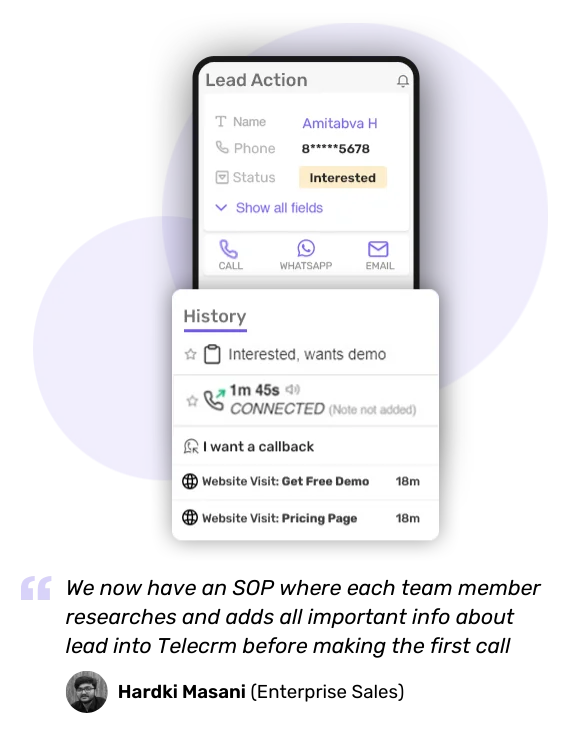
All calls are stored under the specific lead or contact. This means anyone who has access from the team can open a lead profile and see the complete call history:
This creates clarity and avoids confusion or missed communication.
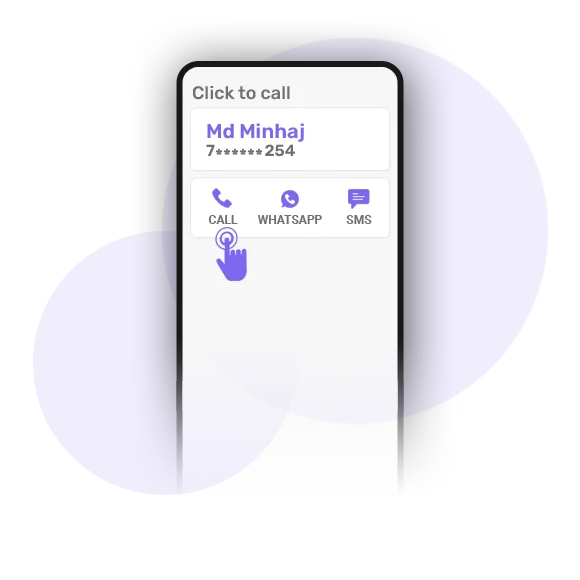
With telecrm’s 1-Click Dialer, reps can call the customer directly from the lead page. There is no need to manually copy and paste phone numbers from the software to your mobile dialler.
This reduces the risk of dialling the wrong number and even saves time, especially for telecalling teams that make hundreds of calls daily.
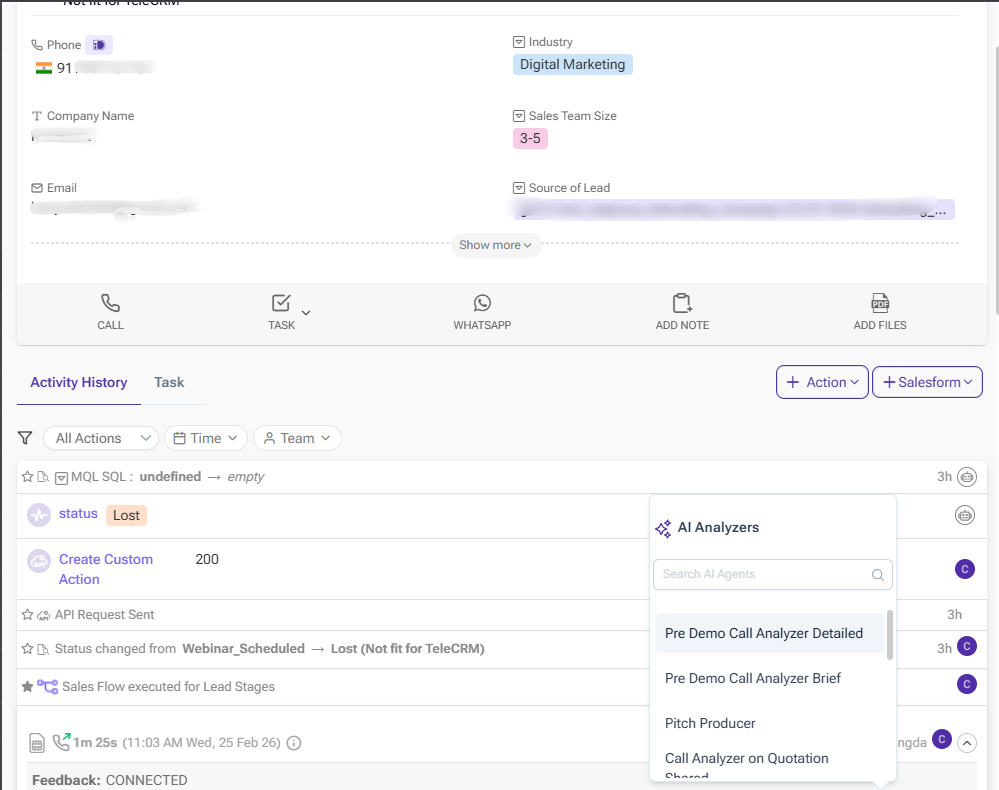
telecrm also provides an AI-powered call summariser that analyses call recordings and generates structured summaries.
Instead of listening to entire recordings, managers can quickly review the highlights of each call. The AI summariser identifies important discussion points, outcomes and potential follow-up actions, helping teams evaluate call quality and improve their sales conversations over time.
This also makes it easier to audit calls across large teams without spending hours manually reviewing recordings.

telecrm provides clear analytics through reports and dashboards in a CRM system. Managers can easily track:
These insights help businesses identify bottlenecks, improve sales processes and make informed decisions based on actual calling data — not assumptions.
For businesses that rely heavily on phone calls to generate sales, having clear visibility into those conversations is essential. Without a structured system, call data remains scattered across mobile phones and spreadsheets, making it difficult to track performance or manage follow-ups effectively.
With telecrm’s SIM-based call tracking solution, your calling process becomes organised and measurable. You can manage leads, monitor conversations, review performance and improve sales outcomes from a single sales management software. For a business, this means better performance and higher conversion rates.
Also, in addition to tracking, telecrm helps you manage everything from a single dashboard. There is no need for extra hardware, VoIP setups or complicated cloud telephony systems.
So what are you waiting for? Book a FREE demo or connect with our sales team!



© Copyright 2026 telecrm.in - All Rights Reserved • Privacy Policy • T&C



© Copyright 2025 Telecrm.in - All Rights Reserved • Privacy Policy • T&C