
Sales teams make hundreds of calls every day. But businesses still struggle to answer these basic questions:
This problem usually exists for two reasons.
First, call and follow-up progress is updated in Excel sheets. These sheets depend on manual updates, which may not always be accurate.
Second, most sales reps make calls directly from their mobile phones using SIM cards. The call history stays inside their phones.
To track anything, managers will have to check their reps’ mobile phones and then compare the information with Excel sheets just to understand what actually happened.
This makes tracking calls slow, unreliable and difficult.
A SIM-based call tracking system solves this problem by automatically recording and tracking all SIM calls from a centralised hub.
In this article, we’ll see how SIM-based call tracking works, what software you’ll need to accurately track calls and how you can optimise your calling process!
SIM-based call tracking is the process of monitoring business calls made through sales reps’ mobile phones to leads and customers.
Businesses usually try SIM-based call tracking in three ways:
1. Manual phone checking: Managers check call recordings and call history directly on reps’ phones. This is not practical for a sales team.
2. Call tracking app: The app syncs with phone call logs and tracks call duration, missed calls and overall call activity.
3. CRM with built-in call management: Inbound and outbound calls are logged automatically in a central CRM dashboard and linked with lead records.In this article, we’ll focus on the second and third options because manually checking sales reps’ phones is not scalable.
In this article, we’ll be discussing only the second and third options, because tracking phone calls by confiscating your sales team’s phones is obviously something you cannot do!
The underlying process is largely similar in both call tracking apps and CRM software.
1. The sales rep installs or connects the call tracking app/CRM on their mobile device.
2. Required permissions are enabled for call logs and, where supported, call recordings.
3. The mobile phone connects with the external platform, such as a call tracking app or CRM.
4. Every inbound and outbound SIM call is automatically synced to the platform.
5. Managers can view call duration, time, date, status and recordings from one dashboard.
Available call details may vary depending on the software, device permissions and whether call recording is supported on the sales rep’s phone.
And because this information is synced on a centralised dashboard, managers can easily view call activity across the team and analyse calling patterns.
Instead of manually checking each sales rep’s phone, businesses can monitor call performance, track activity levels and evaluate team productivity from a single platform.
Call tracking apps are primarily built to monitor calling activity. Their main focus is to capture call logs, call duration and other basic call metrics from sales reps’ phones. Managers can use these reports to understand how many calls the team is making and how actively sales reps are engaging with leads.
While they can track calls, they may not always provide full visibility into the lead journey. Information about leads, follow-ups and deal progress often needs to be managed in another tool or spreadsheet.
So businesses often end up integrating the call tracking app with a CRM for better visibility.
CRM software, on the other hand, provides more than just call tracking. It gives you a 360-degree view into your entire sales process.
For example, when a sales rep calls a lead, the CRM automatically logs the call inside the lead record. Managers can then see the call details, follow-up notes and lead status changes in the same place.
This makes it easier to understand not only how many calls were made, but also how those calls are influencing the movement of leads through the sales pipeline.
Plus, you get additional features for lead management and nurturing:
• Workflow automations for sales and marketing processes
• Automated WhatsApp drip campaigns
• WhatsApp conversation tracking inside the CRM
• Task assignment and management for sales, marketing and support teams
Because everything is connected within one system, businesses can track both calling activity and sales progress without switching between multiple tools.
So essentially, the right CRM means a call tracking app + lead management system + an automation suite, while a call tracking app will have to be integrated with a CRM platform to provide lead management and automation.
At this point, the decision becomes fairly simple.
If you only need to monitor call volume and call duration, a basic call tracking app may be enough. But if your team needs SIM-based call tracking along with lead management, follow-up tracking, automation and sales visibility, a CRM with built-in call management is the better option
Platforms like telecrm combine SIM-based call tracking with lead management, automation and communication tools inside one system.
Explore telecrm’s call management software to see how SIM-based calling connects with lead records, follow-up reminders and team reports.
Here’s what you can do with telecrm:
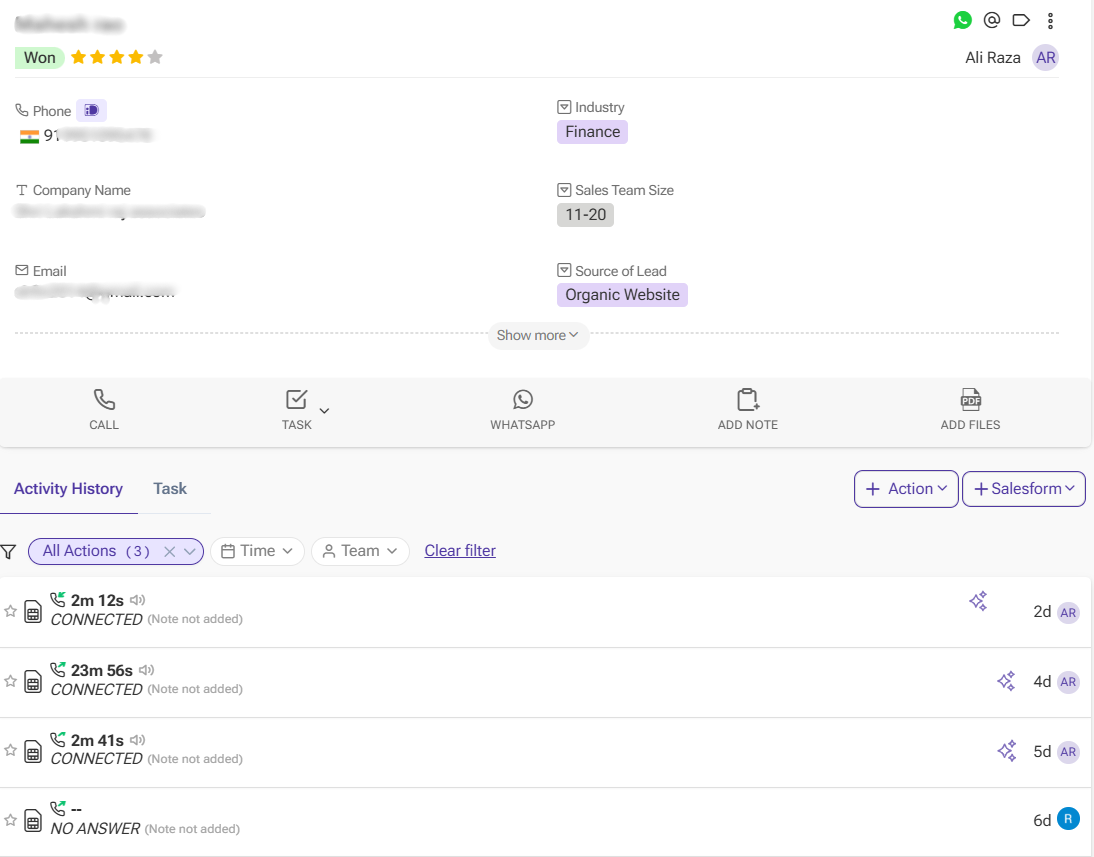
Every SIM-based call made or received by your sales team is logged automatically in the CRM system. There’s no need to enter details manually after each conversation — call duration, time and status get recorded in the system and linked to the right lead. This saves time and eliminates the need for manual reports.
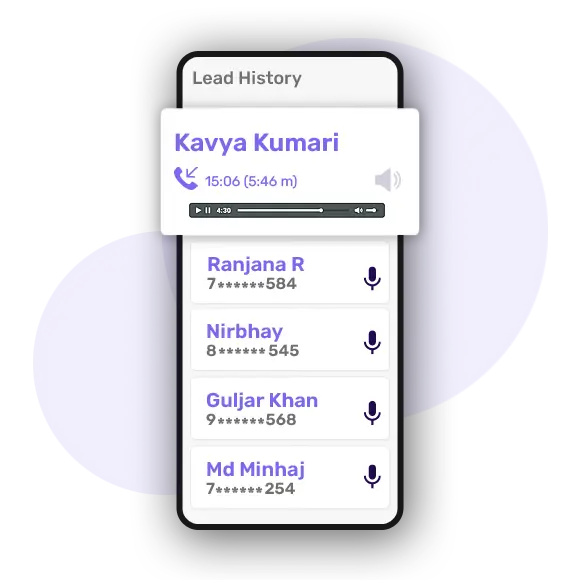
In telecrm, the call recording feature allows managers to review real conversations when needed. It records every incoming and outgoing call made and attaches the recording to the lead profile on the lead page.
It is useful for:
Instead of relying on a verbal update, managers can listen to the actual business call and know what really happened.
Quick read: Sales Call Recording: How It Improves Coaching, Conversions and Accountability
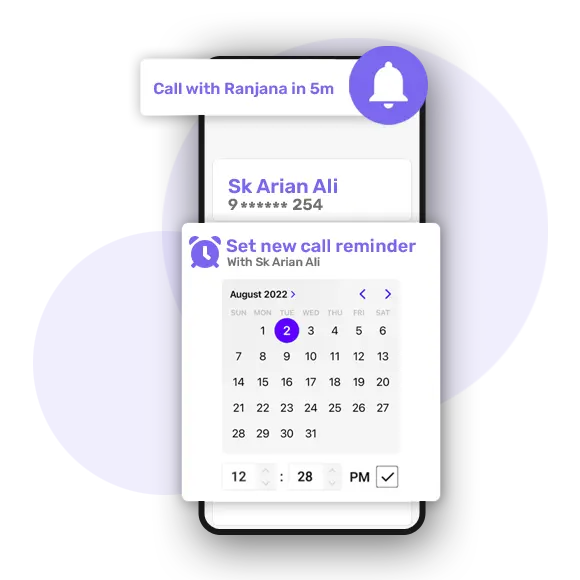
telecrm allows teams to create follow-up reminders and task assignments directly from the CRM.
After a call, a sales rep can schedule the next follow-up and the system will automatically notify them when it is time to reconnect with the lead. Managers can also assign tasks to team members and track whether follow-ups are being completed on time.
This helps ensure that leads are consistently nurtured instead of being forgotten after the first conversation.
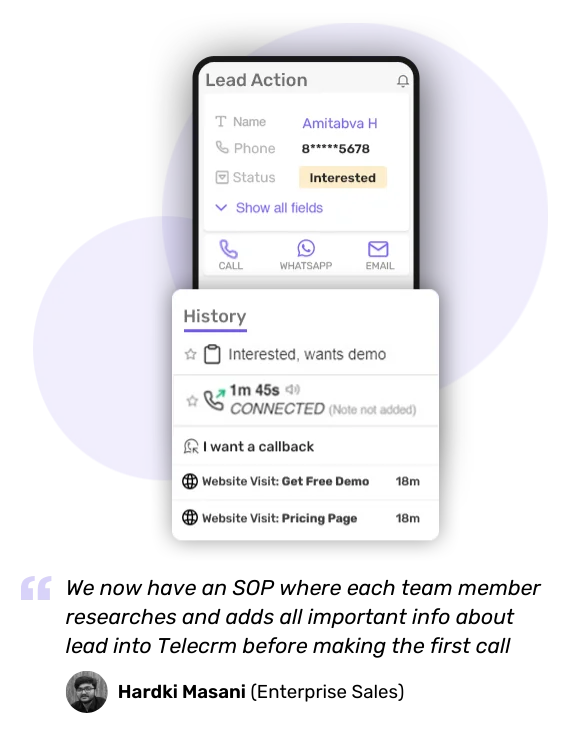
All calls are stored under the specific lead or contact. This means anyone who has access from the team can open a lead profile and see the complete call history:
This creates clarity and avoids confusion or missed communication.
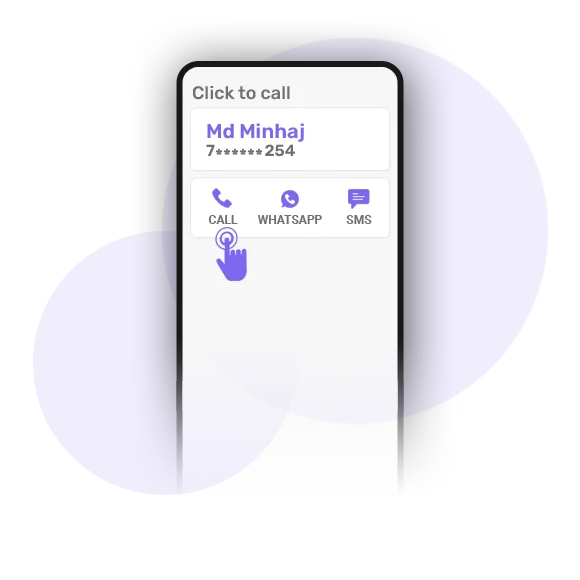
With telecrm’s 1-Click Dialer, reps can call the customer directly from the lead page. There is no need to manually copy and paste phone numbers from the software to your mobile dialler.
This reduces the risk of dialling the wrong number and even saves time, especially for telecalling teams that make hundreds of calls daily.
This click-to-call CRM guide explains how a call starts from the lead record and connects with call history and follow-ups.
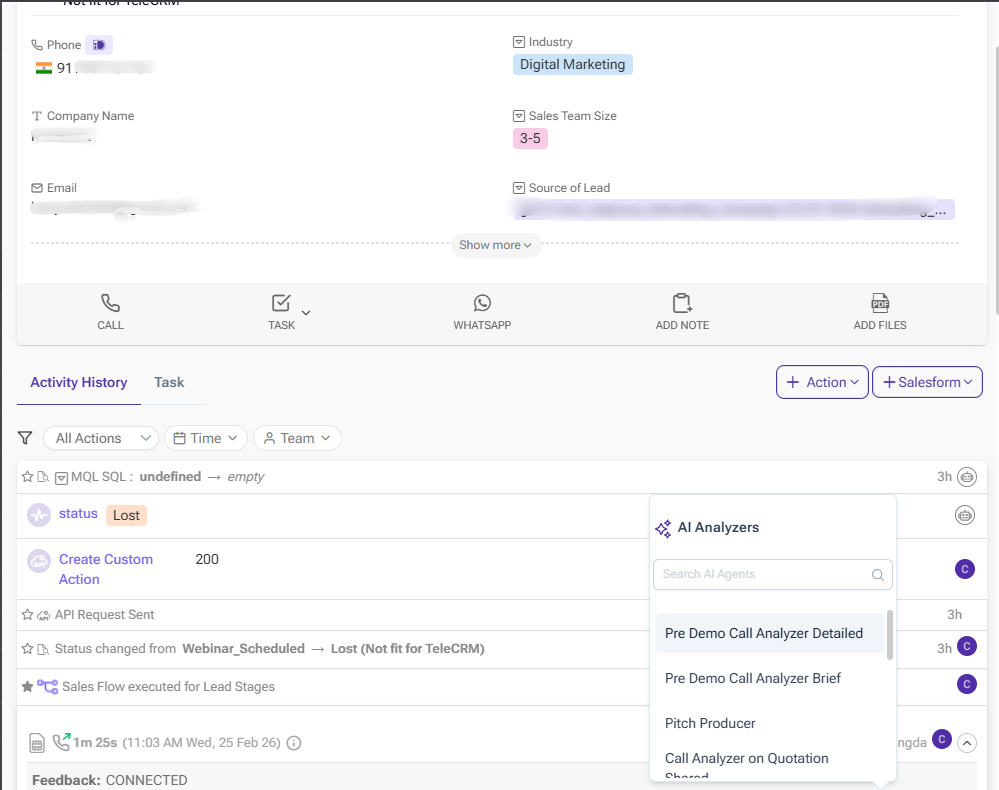
telecrm also provides an AI-powered call summariser that analyses call recordings and generates structured summaries.
Instead of listening to entire recordings, managers can quickly review the highlights of each call. The AI summariser identifies important discussion points, outcomes and potential follow-up actions, helping teams evaluate call quality and improve their sales conversations over time.
This also makes it easier to audit calls across large teams without spending hours manually reviewing recordings.

telecrm provides clear analytics through reports and dashboards in a CRM system. Managers can easily track:
These insights help businesses identify bottlenecks, improve sales processes and make informed decisions based on actual calling data — not assumptions.
For businesses that rely heavily on phone calls to generate sales, SIM-based call tracking gives managers clear visibility into every customer conversation. Instead of call data staying scattered across mobile phones and spreadsheets, teams can track calls, recordings, follow-ups and lead progress from one structured system.
With telecrm’s SIM-based call tracking solution, your calling process becomes organised and measurable. You can manage leads, monitor conversations, review performance and improve sales outcomes from a single sales management software.
Also, in addition to tracking, telecrm helps you manage everything from a single dashboard. There is no need for extra hardware, VoIP setups or complicated cloud telephony systems.
So what are you waiting for? Book a FREE demo or connect with our sales team!



© Copyright 2026 telecrm.in (Flamon Cloudtech Pvt Ltd) - All Rights Reserved • Privacy Policy • T&C



© Copyright 2026 telecrm.in - All Rights Reserved • Privacy Policy • T&C