

Your sales team works hard. Taking calls, follow-ups, demos and a lot more, all the time! Yet somehow, half of their time goes to complete waste on leads that were never going to buy in the first place. This is because your sales reps may not have the right way to sort and prioritise leads.
The solution to this is not hiring more reps or pushing your team to work harder. But it is to build a smarter system. One that tells your team exactly which leads deserve their time, before they pick up the phone.
And that is exactly what automated lead scoring brings to your table.
In this guide, you will learn:
• What automated lead scoring is
• Why it matters for sales teams
• How lead scoring works across spreadsheets, marketing tools and CRMs
• How to set up automated lead scoring in telecrm
• Common lead scoring mistakes to avoid
Automated lead scoring is the process of assigning a score or rating to every lead automatically, based on predefined signals such as customer fit, behaviour, source and buying intent. The score shows how likely a lead is to become a paying customer and helps sales teams prioritise follow-ups.
In layman’s terms, an automated or AI lead scoring model assigns a score to every lead that ends up in your pipeline. This score mostly indicates how likely they are to become a paying customer.
Generally, this score is indicated on a numeric scale like 1-10 or 1-100, but different platforms may use different icons or symbols for the same, to make it more visually scannable.
The calculation usually depends on two types of signals:
In telecrm, you can define these parameters based on your sales process and automatically score leads as they enter your pipeline.
Their job title, the size of their organisation, the industry they cater to, etc., can be used to decide whether they are a right fit or not. Automated lead scoring allows you to score your leads based on any parameters as per the needs of your business.
This lets your sales and marketing team sort who’s ready to buy, who needs more nurturing and who is not likely to convert anytime soon, all at a glance. No more guessing. No more chasing the wrong leads. No more missing the right leads.
Without lead scoring, your team ends up treating every enquiry in almost the same way. All leads end up sitting in the same pipeline with no clear order of priority. That slows your team down and makes it easier to miss the leads that were actually ready to buy.
Automated lead scoring solves this by helping your team prioritise with logic, not instinct. Instead of depending on guesswork, scattered notes or a rep’s memory, the system shows which leads need immediate follow-up, which ones need more nurturing and which ones are not worth pushing right now, based on the parameters that you have set.
This becomes even more important when your business is generating leads from multiple sources like ads, website forms, calls, WhatsApp and referrals. When everything starts flowing in together, it gets harder for reps to manually decide who deserves attention first.
This is when automated lead scoring, built inside a lead management system, helps your team prioritise and respond to the right leads at the right time, making your sales process faster, cleaner and more predictable.
Now that you know why automated lead scoring matters, the next question is where you should actually run it. Let’s look at how lead scoring works in different platforms.
There are several platforms your team can use to score their leads, each with its own trade-offs. Let’s have a look at these ways.
This is where most teams start. You define your criteria, assign points manually in the form of drop-down lists and update scores as leads progress. It works at low volumes but breaks down fast because everything is done manually here. So if you generate, say, 200 leads per day, scoring your leads manually is definitely not feasible.
Marketing platforms may offer basic built-in lead scoring based on email engagement. Useful for marketing teams, but limited in scope as they only see a small segment of the customer behaviour and rarely connect to what’s happening on the sales side.
A CRM is how most businesses run their lead scoring models. Every new lead that enters your funnel is already assigned a score based on your set parameters. This gives you complete clarity on who to prioritise.
Additionally, a CRM consolidates lead interactions into one common platform, allowing your reps to efficiently take care of every lead, based on priority, without switching between platforms.
So, when you ask, ‘Which is the most effective platform to use for automated lead scoring?’, the answer is always a ‘CRM.’
Read more: 5 Lead Management Software to Look Out for (2026).
Now, let’s see how automated lead scoring works in telecrm. For a deeper understanding, we have broken down the entire setup process into four simple steps that you can follow directly in telecrm to make the most out of automated lead scoring.
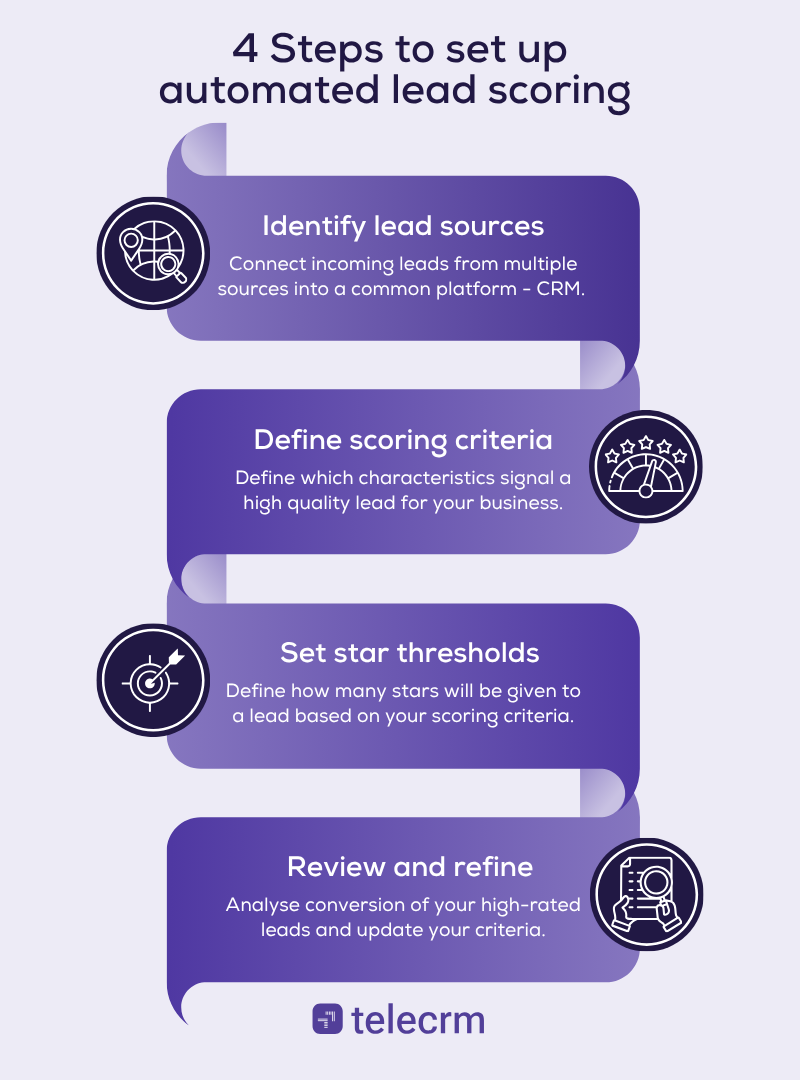
List every channel through which leads enter your pipeline — organic search, paid campaigns, referrals, WhatsApp enquiries, inbound calls, webinar sign-ups and more. Connecting all your lead sources to telecrm ensures no lead enters the pipeline untracked and every interaction is captured from the very first touchpoint. This is important to define a lead scoring criterion specific to your business
Decide which actions and attributes signal a high-quality lead. These attributes can be page visits, demo requests, job title, company size, interests, ticket size and so on. You can also take the negative signals, like inactivity and unsubscribes, into consideration.
Once you have configured these rules in telecrm, your system automatically assigns scores to every new lead based on the answers they give. No manual scoring. No human intervention. 100% automated.
For example, if you classify all leads with a team size of more than 20 reps as 5-star leads, the system will automatically allot 5 stars to every new lead which mentions a team size of more than 20 reps while filling out the form.
In telecrm, leads are rated on a star scale of one to five in order of priority. So a one-star lead is a low-priority lead, while a five-star lead requires the highest level of attention. Here’s a sample version of how it would look:
⭐ Cold lead — automated nurture, no direct outreach
⭐⭐ Low-intent — send educational content, monitor engagement
⭐⭐⭐ Warm lead — junior rep makes initial contact
⭐⭐⭐⭐ Hot lead — senior rep reaches out within a short span of time
⭐⭐⭐⭐⭐ Very hot lead — as immediate outreach as possible
Stars are not the only way to score leads in telecrm. You can create custom fields to score leads on multiple parameters.
There is a chance that your first scoring algorithm model won’t be perfect. To tackle that, you can set a timely review. In this, you set a time period, let’s say monthly. Now, you should thoroughly analyse which five-star leads converted, which one-star leads were a surprise or which signals are not working properly every month.
You can adjust your criteria accordingly and turn your model into an effective lead scoring model.
Read more: Lead Management Best Practices to Maximise Your ROI.
Getting lead scoring right takes more than just setting it up and walking away. A lot of teams make the same mistakes and end up with a model that misleads rather than guides. Here’s what to avoid when building yours:
If you don’t know what your ideal customer looks like, your model is built on assumptions. Ground everything in historical data before you assign a single star rating.
Firmographic fit tells you if a lead could buy. Prospect behaviour tells you if they want to. A model that ignores behavioural data misses half the picture — and often surfaces leads that look like five stars on paper but have no real intent.
Buyer behaviour shifts. Market trends evolve. A scoring model calibrated on last year’s data is pointing your team in the wrong direction. Build in quarterly reviews at a minimum.
A perfectly matched ICP lead who stopped engaging six weeks ago is not a five-star lead. Negative scores are as important as positive ones. Leaving them out inflates ratings and wastes sales effort.
The most sophisticated AI lead scoring solution fails if your sales reps don’t trust the output. Involve them in building the model. Show them the logic. When reps understand why a lead is rated the way it is, they act on it — instead of overriding it.
A referral and a cold ad click are not the same lead, even if they look identical on paper. Lead quality varies by source. Build that reality into your model from the start.
Pro tip: A visible, measurable and optimised sales pipeline is crucial to take your sales process to the next level. Read more about sales pipeline visibility
Automated lead scoring has now become a competitive necessity. It removes the guesswork, aligns your marketing and sales teams around a single definition of a good lead and ensures your best people spend their time on the qualified leads most likely to close.
Start small. Define your ICP. Build your first scoring table. Set your thresholds. Connect it to your lead management system, like telecrm. Then refine every month until the model reflects your real buyers.
The result? A sales team that works smarter, closes faster and stops losing deals to leads that should have been filtered out before the first call.
If you’re looking for a CRM that combines calling, WhatsApp and lead management in one place, telecrm is built exactly for you.
Book a free demo today!
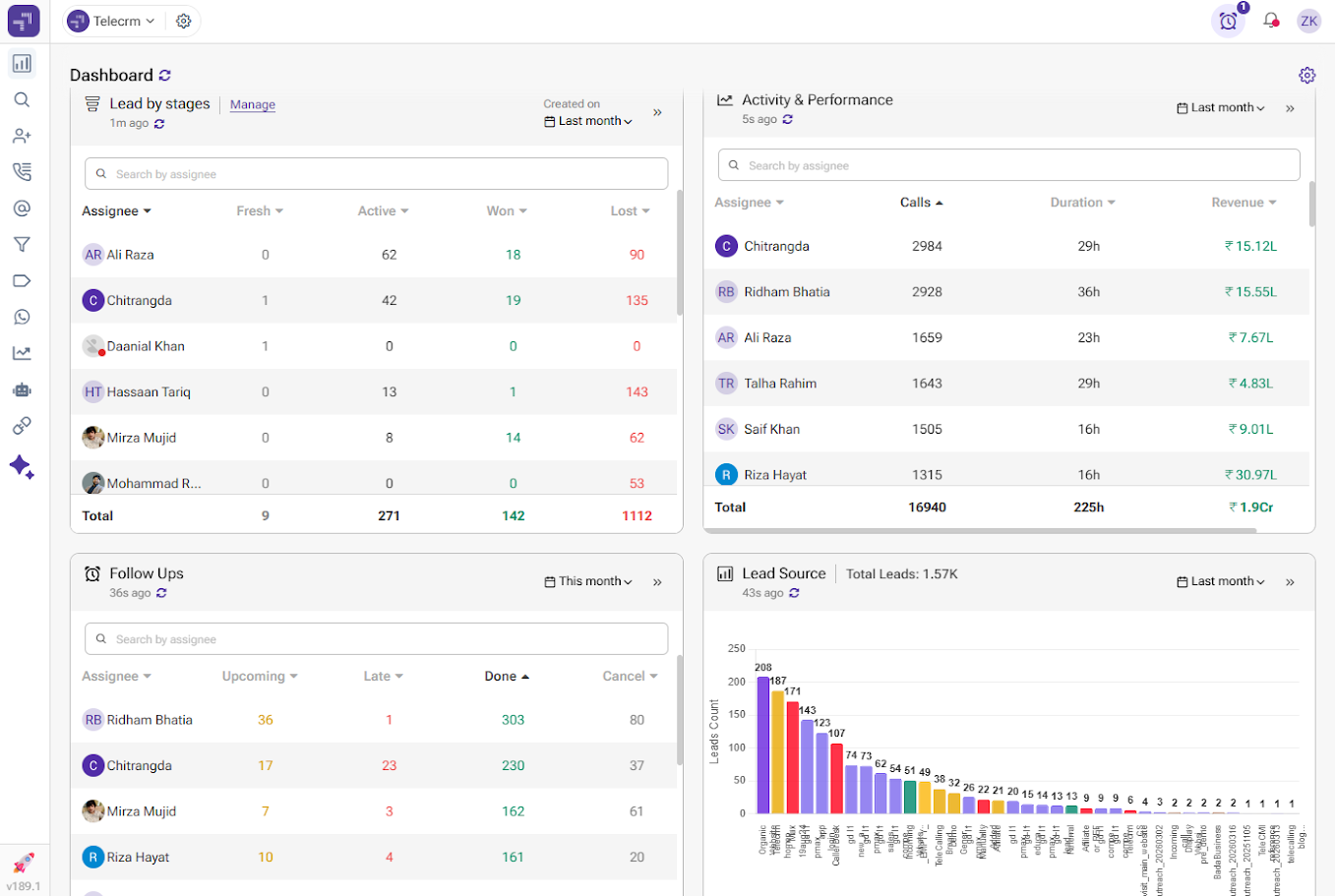
Manual lead scoring relies on your reps evaluating each lead individually. It is time-consuming, inconsistent and prone to human bias. Two reps looking at the same lead can arrive at completely different conclusions depending on their experience, workload or gut feeling on a given day.
Automated lead scoring removes that variability entirely. Every lead is evaluated against the same criteria, every single time, in real time. There is no delay, no subjectivity and no risk of a high-intent lead sitting untouched because someone was too busy to review it.
At scale, the difference becomes even more significant. Manual scoring simply cannot keep up with high lead volumes without dedicated resources. Automated scoring handles any volume instantly — and only gets more accurate as more data flows in. The result is a sales team that spends less time deciding who to call and more time actually closing.
A lead scoring rule in automated lead scoring is a predefined condition that assigns a star rating (out of 5) to each lead based on specific criteria such as behaviour, profile or business relevance. For example, in our approach, we allocate stars based on a lead’s team size, where smaller teams may receive 1★–2★, mid-sized teams 3★–4★ and larger organisations a full 5★ due to their higher potential value and scalability. As leads interact further, such as engaging with content or requesting a demo, their star rating can be adjusted. These rules simplify prioritisation by clearly indicating which leads (typically 4★–5★) are most valuable and sales-ready.
Businesses that generate a high volume of leads from multiple sources, such as Google Ads, Facebook campaigns, website forms and WhatsApp enquiries, benefit the most. When dozens or hundreds of leads enter the pipeline daily, it becomes impossible for sales reps to manually decide who to call first. Automated lead scoring removes that decision entirely by ranking every incoming lead instantly based on the criteria you define. For Indian SMBs in education, real estate, travel and financial services, where enquiry volumes are high and sales cycles are competitive, it is one of the highest-impact upgrades a team can make.
At a minimum, review your scoring model every quarter. Look at which highly rated leads actually converted and which ones did not. If five-star leads are consistently not converting, your scoring criteria are pointing your team at the wrong signals. Conversely, if leads rated one or two stars are converting more than expected, there are high-intent behaviours you are not capturing. Most lead management systems like telecrm allow you to adjust scoring rules without rebuilding the whole model from scratch, so refinement is quick once you have the data.



© Copyright 2026 telecrm.in (Flamon Cloudtech Pvt Ltd) - All Rights Reserved • Privacy Policy • T&C



© Copyright 2026 telecrm.in - All Rights Reserved • Privacy Policy • T&C