

A cloud-based CRM is a customer relationship management tool hosted on the internet — not on a company server — so sales teams can access lead data, call histories, follow-up reminders and pipeline reports from any device with a connection.
For Indian businesses managing leads from Meta Ads, IndiaMart, WhatsApp or website forms, a cloud CRM replaces disconnected spreadsheets and manual tracking with one organised system.
This guide covers:
– What a cloud-based CRM is and how it differs from on-premise software
– Six key benefits of cloud CRM for sales teams
– Eight must-have features to look for
– How to choose the right cloud CRM for your team
– Top cloud CRM tools available in India in 2026
Related Read: The best call management software in India
A cloud-based CRM is software that helps businesses manage leads, customer interactions and sales data — hosted on the internet so it is accessible from any device, anywhere, without in-house servers or IT infrastructure.
A cloud-based CRM (customer relationship management) software is a tool hosted on the internet that helps businesses manage customer interactions, sales processes and data efficiently. That said, with the increasing reliance on cloud-based systems, cybersecurity and privacy have become critical concerns, and it’s important to stay up to date with how the landscape is evolving. Unlike traditional CRM systems that are installed on local servers and accessed through the company’s network, cloud-based CRMs are accessible online through a reliable web hosting provider, meaning you can use them anywhere, any time, provided you have a stable internet connection.
A CRM is typically offered as a Software-as-a-Service (SaaS) model, where businesses pay a subscription fee based on the number of users or features required. Those are some of the factors that are taken into when SaaS companies implement complex pricing models, which can be managed – along with other aspects such as automated billing and seamless revenue recognition – by using robust subscription management software.
| Term | Definition |
|---|---|
| Cloud CRM | Customer relationship management software hosted on the internet and accessed through a browser or mobile app, instead of being installed on a local company server. |
| On-premise CRM | CRM software installed on the company’s own servers and managed internally by the IT team. |
| SaaS CRM | Cloud CRM offered as software-as-a-service, where businesses access the platform through a subscription without upfront licence costs. |
| CRM in cloud computing | The use of cloud infrastructure to host and run CRM software, so businesses do not need to manage hardware or perform manual software updates. |
| Cloud-based sales CRM | A CRM designed to manage the outbound sales process, including lead capture, assignment, follow-ups, pipeline tracking and reporting. |
Cloud CRM — hosted on the internet, on-premise — hosted on local servers; this much is clear by their names, but what are the other key differences that should inform your decision to choose between the two? Let’s discuss them.
| Aspect | Cloud-based CRM | On-premise CRM |
| Hosting | Hosted on the internet, accessible from anywhere with an internet connection | Hosted on local servers, accessible only within the company network |
| Cost Structure | Subscription-based model with monthly or annual fees | Significant upfront costs for hardware and software licences |
| Scalability | Easily scalable by adding or removing users/features as needed | Scaling requires additional hardware and IT resources |
| Updates & Maintenance | Automatically managed by the provider, with no manual intervention needed | Requires in-house IT staff to manage updates, leading to potential downtime |
| Security & Control | Security is managed by the provider — includes encryption, regular backups and access controls — but the business has limited direct configuration | Full control over data storage, access and security settings, managed entirely by in-house IT |
Cloud-based CRM software gives sales teams real-time access to lead data, automates routine follow-up tasks and lets managers track team performance — without the upfront hardware costs or IT dependency of an on-premise system.
Let’s explore some of the key benefits:
Cloud-based CRMs use a subscription model — Indian sales teams pay per user per month, with no upfront hardware cost, no software licence fee and no in-house IT needed to maintain the system.
Imagine cutting out the need for costly hardware and software licences — this is exactly what a cloud CRM does. With a subscription model tailored to your business size, you only pay for what you need. This makes it an especially smart choice for small and medium-sized businesses looking to save on upfront costs.
Plus, since the CRM is hosted online, you can wave goodbye to the hassle of managing servers, updates and security — your provider has got you covered, freeing up your resources and reducing operational costs. However, organizations should still conduct a thorough cloud risk assessment to evaluate their provider’s security measures and ensure compliance with their specific industry requirements.

Sales reps and managers can access the full CRM — lead records, call notes, pipeline status and reminders — from a phone, laptop or tablet, without being tied to an office network.
Whether you’re in the office, working from home or catching up on the go, a cloud CRM ensures your team can stay connected and productive from anywhere. All you need is an internet connection and you’re good to go. This flexibility is a major breakthrough for remote teams or businesses with multiple locations. And don’t worry about the device — whether it’s a laptop, tablet or smartphone, your CRM is accessible wherever you are. Remote device management can help enhance security and enable businesses to monitor devices anywhere.

As your business grows, so should your tools. Cloud-based CRMs are designed to grow with you. Need to add more users or expand features? No problem. Cloud CRM lets a team of 5 add 10 more users in minutes — no new hardware, no IT ticket and no disruption to the existing workflow. Removing users or downgrading features is equally straightforward when team size changes.

Forget about downtime, log management or scrambling to keep up with the latest software updates. Cloud CRM providers handle all of this for you, ensuring you always have access to the newest features, improvements and security patches. For teams new to cloud operations, a cloud computing course can help clarify how updates, availability and shared responsibility typically work in cloud services. This means your CRM stays up-to-date and running smoothly, with minimal disruption to your business.

Related Read: Types of CRM you ought to know before buying.
Every sales rep, manager and support agent sees the same lead record, conversation history and pipeline stage in real time — eliminating the version-control problems that come with shared spreadsheets.
When everyone’s working from the same playbook, things just flow better. A cloud-based CRM centralises all customer data, making it easily accessible to your entire team. This leads to more informed decisions, improved customer service and better collaboration as everyone is on the same page with the latest information.

Cloud CRM providers manage encryption, automated backups and access controls as part of the platform — most enterprise-grade providers meet the same compliance standards required by Indian finance and healthcare regulations.
Data security is non-negotiable, and cloud CRM providers take this seriously. With features like data encryption, regular backups and stringent access controls, your customer information is often safer in the cloud than on an in-house server. IPAM solutions complement these security measures by helping track and regulate network access points, ensuring that only authorized devices can connect to your system.
Plus, most providers comply with industry standards and regulations, ensuring your data management practices are compliant — especially important for sectors like finance and healthcare. where Privileged Access Management plays a crucial role in securing sensitive information.

A 12-person real estate team in Pune receives leads from IndiaMart, Meta Ads and a website contact form. Without a CRM, leads land in different places — some in email, some in WhatsApp, some in an Excel sheet — and reps call the same lead twice or miss callbacks entirely.
With a cloud CRM like telecrm:
– Leads from all sources arrive in one dashboard automatically
– Each lead is assigned to a specific rep based on area or source
– The rep sees the full lead history before making the first call
– Every call is logged with outcome and notes — no manual entry
– A WhatsApp follow-up is sent automatically after each call
– The manager views call volume, conversion rates and rep performance in real time from their phone
This same workflow applies to education teams handling enquiries, insurance teams managing policy renewals and B2B teams following up on portal leads.
A cloud-based CRM should include contact and lead management, automation for routine tasks, real-time reporting, integration with lead sources and communication tools, mobile access and customisation options — the absence of any one of these creates gaps in the sales workflow.
Some of the key CRM features are:
At the heart of every CRM is its ability to manage contacts. You need a system that does more than just store names and numbers. Look for a CRM that offers a comprehensive contact management system, allowing you to track customer interactions, segment your contacts and easily retrieve information when you need it.

Capturing leads is one thing — managing them effectively is another. Your CRM should have robust lead management tools that help you capture, track and nurture leads as they move through the sales funnel. The right CRM will ensure that no lead falls through the cracks and that every potential customer gets the attention they deserve.
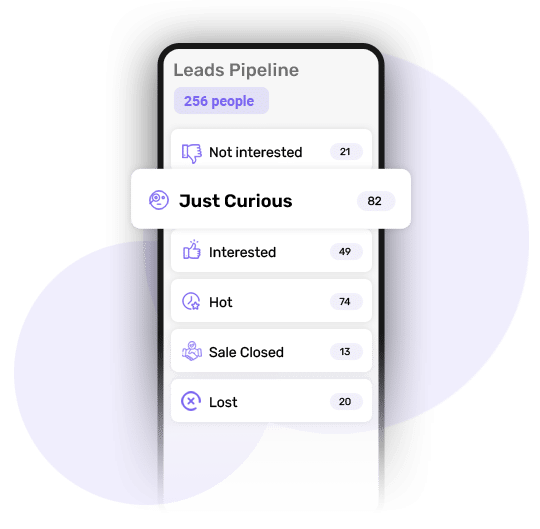
A cloud CRM must show every lead’s current stage in the pipeline — from first contact through to won or lost — so reps know which leads to prioritise and managers can forecast revenue. Look for a CRM with customisable pipeline stages that match your actual sales process, not a fixed, generic template.
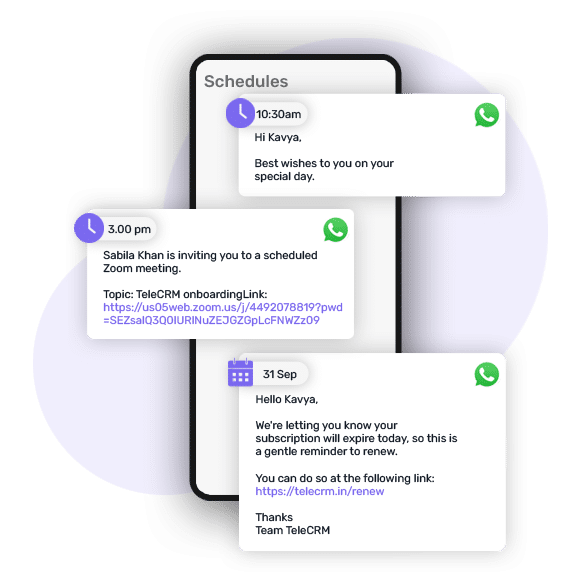
Let’s face it — repetitive tasks can be a major time drain. This is where automation comes in. A good cloud CRM should offer automation features that take care of routine tasks like sending follow-up messages, scheduling appointments and updating lead statuses. This not only saves time but also allows your team to focus on what they do best — selling and building relationships.
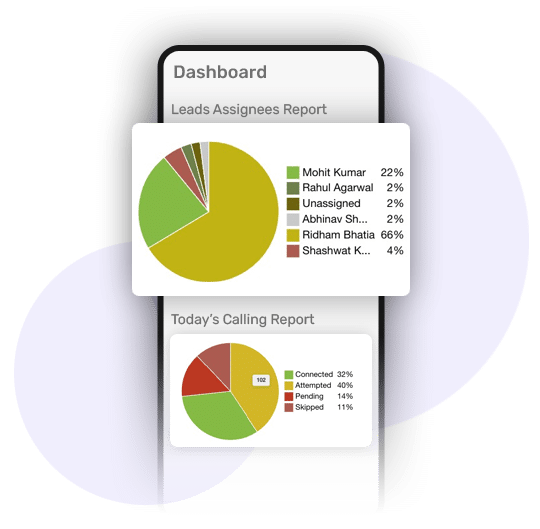
Data is king, but only if you can make sense of it. Your CRM should come with robust reporting and analytics tools that give you insights into your sales performance, customer behaviour, lead conversion rates, team performance and other important metrics. Look for customisable reports and dashboards that allow you to track key performance indicators (KPIs) and make data-driven decisions that drive growth.
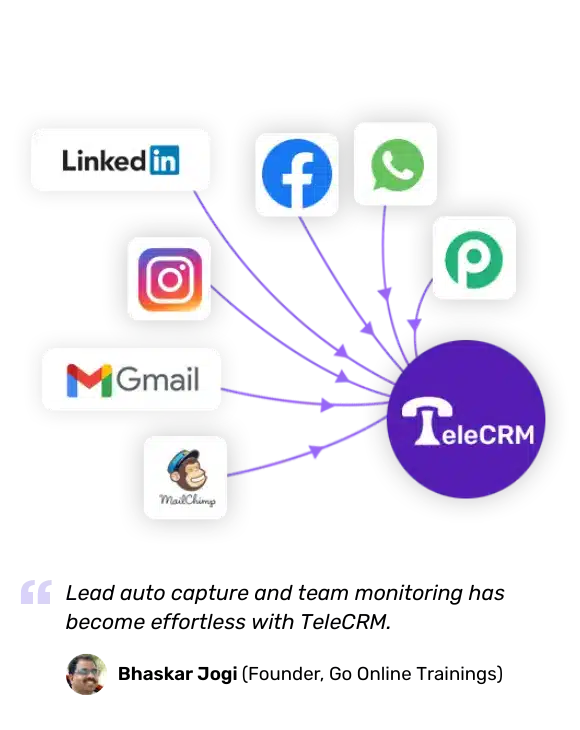
Your CRM doesn’t operate in a vacuum. It needs to play well with the other tools in your tech stack. Whether it’s your email marketing platform, your website or Google Ads and Facebook, ensure the CRM you choose offers seamless integration. This creates a unified system where all your data and processes are connected, leading to a smoother workflow and better overall efficiency.
Business doesn’t stop when you leave your desk. A mobile-friendly CRM allows you and your team to manage customer relationships on the go, ensuring you stay connected and productive, whether you’re in a meeting, travelling or working remotely.
No two businesses are the same, so why should your CRM be? Look for a cloud CRM that offers customisation options, allowing you to tailor workflows, fields and reports to fit your unique business processes. The ability to personalise your CRM ensures it caters to your needs — not the other way around.
The right cloud CRM depends on team size, daily call volume, lead sources and whether the team uses WhatsApp for follow-up. Indian SMB sales teams typically need lead assignment, call tracking, WhatsApp integration and a real-time manager dashboard — not a complex enterprise system.
Choosing the right cloud CRM for your business can feel like a daunting task, especially with so many options available. However, by focusing on a few key factors, you can make an informed decision that aligns with your business goals and operational needs.
Here’s how to narrow down your choices:
Start by clearly defining what you want to achieve with your CRM. Are you looking to improve lead management, enhance customer communication or automate repetitive tasks? Knowing your specific needs will help you identify the features that are most important to your business. For instance, if you’re heavily involved in telesales, look for a CRM with strong telesales management capabilities, including auto-dialers and call tracking.
A cloud CRM is only effective if your team actually uses it. Look for a solution that is user-friendly and intuitive, with a clean interface that makes navigation easy. The less time your team spends figuring out how to use the CRM, the more time they can spend engaging with customers and closing deals. Some CRMs offer trial periods — take advantage of these to see how well the software fits with your team’s workflow.
Budget is always a consideration, but it’s important to look beyond just the price tag. Consider the value you’re getting for the cost, including the features, support and scalability of the CRM. Ensure the CRM can grow with your business — whether that means adding more users, expanding your feature set or integrating new tools. A scalable CRM will save you the hassle and expense of switching systems as your business grows.
4. Look for reliable customer support
Even the best CRM system might require support at some point. Choose a provider known for reliable customer support, whether through live chat, phone or a comprehensive knowledge base. Knowing that help is readily available gives you peace of mind and ensures that any issues can be resolved quickly, minimising downtime.
5. Read reviews and seek recommendations
Finally, take the time to read reviews and seek recommendations from other businesses and software review sites like Capterra, Techjockey and more. Feedback from actual customers can provide valuable insights into how the CRM performs in practice, helping you avoid potential pitfalls and choose a solution that has a proven track record.
The 15 cloud CRM tools below are reviewed with key features and pricing to help sales teams and managers compare options. For Indian sales teams, particular attention should be paid to tools with native WhatsApp integration, call tracking and INR pricing.

telecrm is a cloud CRM built specifically for Indian sales teams handling leads from Meta Ads, IndiaMart, WhatsApp and website forms. It combines a 1-click dialler, automatic call logging, WhatsApp chat sync, lead assignment and smart follow-up reminders in one platform. Managers get a real-time dashboard showing each rep’s calls, follow-up status and pipeline stage without needing a separate reporting tool.
telecrm offers two pricing plans:
Zoho CRM is a comprehensive CRM platform that offers a wide range of features suitable for businesses of all sizes. It’s known for its flexibility and extensive integration capabilities, making it a popular choice across industries.
Zoho CRM has four pricing plans:
HubSpot CRM is known for its user-friendly interface and is ideal for businesses looking for a free yet powerful CRM. It’s perfect for medium to large-sized businesses that need basic CRM functionality with room to grow.
HubSpot offers four plans:
Pipedrive is a sales-focused CRM with a visual pipeline that lets reps drag and drop deals through stages. It is designed specifically for teams that need to track deals from first contact to close, with minimal CRM complexity.
Pipedrive offers the following plans:
Salesmate is designed for teams that demand a highly customisable and integrated CRM solution. It’s known for its ease of use and the ability to automate various aspects of the sales process.
Salesmate offers four pricing plans:
Monday Sales CRMis built on the Monday.com platform, making it a practical choice for teams that already use Monday for project management and want their CRM data in the same workspace. It offers visual sales pipelines, task automation and team collaboration tools.
Monday Sales CRM pricing plans:

Zendesk Sell is a cloud CRM designed for sales teams that need lead tracking, email integration and mobile access. It connects with Zendesk’s support tools, making it useful for businesses that handle both sales and customer service from the same platform.
Zendesk offers a range of pricing plans:
Engagebayis suited to small and medium-sized businesses that need sales, marketing and customer support in one platform — without paying for separate CRM, email marketing and helpdesk tools.
Engagebay offers an affordable pricing structure:
Creatio, formerly known as bpm’online, is a no-code CRM platform for mid to large businesses that need complex pipeline management, marketing automation and customised customer journeys without relying on a developer team.
Creatio’s pricing starts from ₹1,500 per user per month, with customizable options available for larger teams.

Salesflare is a cloud CRM designed for B2B sales teams that want automatic contact and activity tracking with minimal manual input. It connects with Google Workspace and Microsoft 365 to pull contact data and email history automatically.
Salesflare’s pricing starts at $19 per user per month, with higher-tier plans offering additional advanced features.
Keap, formerly known as Infusionsoft, is a CRM solution tailored for e-commerce businesses. It combines marketing automation with CRM features, making it a powerful tool for sales teams that need both customer relationship management and marketing campaign tools in one platform. With Keap, businesses can create customised sales processes and automated workflows that enhance customer engagement.
Keap offers plans starting from ₹2,000 per user per month, with additional features available at higher pricing levels.

Copper is a cloud CRM built specifically for Google Workspace users. It connects directly with Gmail, Google Calendar and Google Drive, so sales teams can manage leads and contacts without leaving their existing Google tools.
Copper is a CRM platform built specifically for Google Workspace users, providing seamless integration with Gmail, Google Calendar and other Google apps.
Salesforce is one of the most popular CRM platforms globally, known for its wide range of features and scalability. It offers an all-encompassing CRM solution that helps businesses manage sales, marketing, and customer service in one platform. Salesforce is highly customizable, allowing businesses to tailor it to their specific needs.
Salesforce offers various pricing plans starting from ₹3,500 per user per month, with more advanced features available in higher-tier plans.
Freshworks CRM is a user-friendly and feature-rich CRM platform aimed at simplifying sales and marketing activities. With its simple interface and strong automation capabilities, Freshworks CRM is perfect for businesses looking to streamline their lead management, sales pipelines, and customer interactions. Its AI-powered tools provide actionable insights to help businesses close deals faster.
Freshworks CRM offers plans starting at ₹1,200 per user per month, with higher tiers providing more advanced features such as automation and AI-based insights.
Apptivo offers an affordable and comprehensive CRM solution for small and medium-sized businesses. It provides a wide range of customizable tools that cater to sales, marketing and project management. With Apptivo, you can manage customer relationships, automate sales processes and even create invoices, all from one platform.
Apptivo starts at ₹1,000 per user per month. Higher-tier plans add sales forecasting, advanced reporting, additional integrations and expanded workflow automation options.
This guide has covered cloud-based CRM definition, key benefits, essential features and a comparison of 15 cloud CRM tools with pricing for Indian sales teams. For teams in telesales, real estate, education or financial services that rely on WhatsApp and phone-based selling, telecrm offers a 15-day risk-free trial — visit the homepage or book a demo to see the features in action.
It’s important to choose a cloud CRM solution that fulfils most, if not all, of your requirements. Browse through the websites of the CRMs mentioned above to figure out the best one for your business. If you’re looking for a solution that’s particularly strong in telesales and WhatsApp communication, telecrm offers a tailored experience designed to meet those needs. So what are you waiting for? Book a free live demo today!
A cloud-based CRM is customer relationship management software hosted on the internet and accessed from any device via browser or mobile app. Businesses pay a monthly per-user subscription and do not need to install, maintain or update software on their own servers.
Cloud CRM is hosted on the internet, accessible from any device, updated automatically and priced per user per month. On-premise CRM runs on the company’s own servers, requires IT staff to manage updates and involves a large upfront cost. For Indian SMB teams, cloud CRM is almost always the lower-cost and lower-risk option.
The main benefits are: no upfront hardware cost; access from any device with an internet connection; automatic updates handled by the provider; real-time data shared across the entire team. For growing Indian sales teams, the ability to scale users up or down without IT changes is also a significant advantage.
For Indian sales teams handling leads from Meta Ads, IndiaMart and WhatsApp, telecrm is the most purpose-built option — it combines calling, WhatsApp follow-up, lead assignment and manager reporting in one platform. Zoho CRM and HubSpot are strong alternatives for teams needing broader marketing automation.
CRM in cloud computing means customer relationship management software that runs on remote cloud servers instead of a local computer or office network. Users access it through a web browser or mobile app from anywhere. The cloud provider manages the servers, security and software updates.
Yes. Several cloud CRM providers offer INR pricing for Indian businesses. telecrm starts at ₹799 per user per month (billed annually) and is built specifically for Indian sales teams. Zoho CRM, Freshworks CRM and Apptivo also offer INR pricing with Indian support teams.
Spreadsheets do not send follow-up reminders, track call outcomes or show which leads have not been contacted. As a team grows beyond three or four reps, lead duplication and missed follow-ups become costly. A cloud CRM assigns leads automatically, logs every interaction and gives managers visibility across the whole team in real time.



© Copyright 2026 telecrm.in (Flamon Cloudtech Pvt Ltd) - All Rights Reserved • Privacy Policy • T&C



© Copyright 2026 telecrm.in - All Rights Reserved • Privacy Policy • T&C