
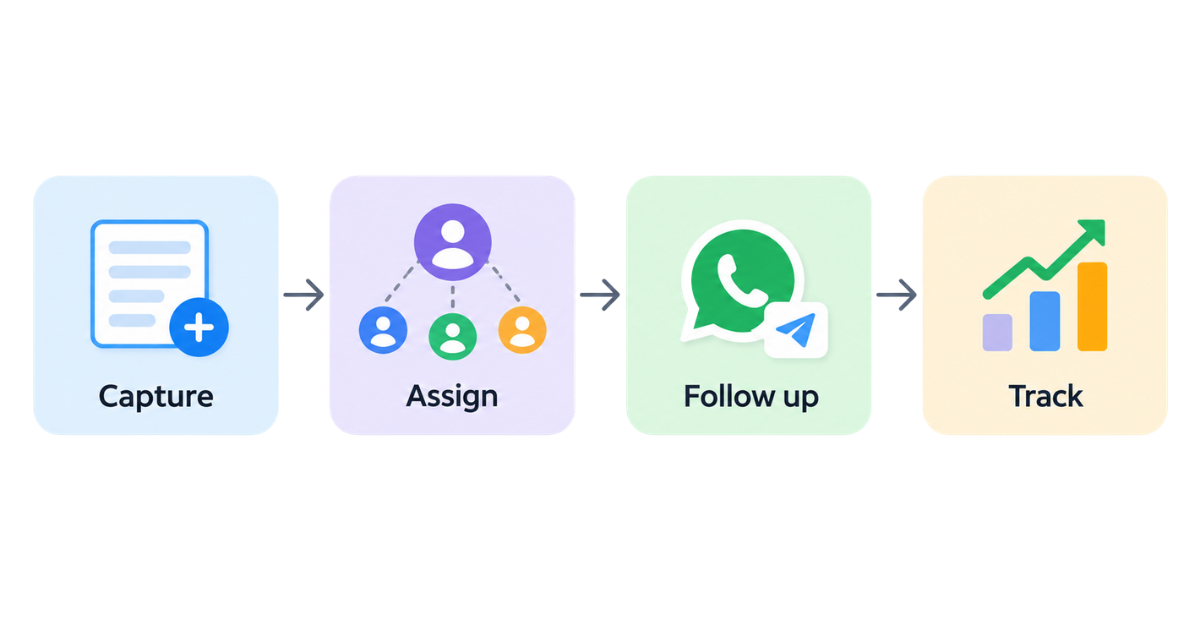
Lead automation is using smart software to automatically capture, organise, follow up and track with potential customers without doing it by hand.
So if you are still copying customer email addresses from a spreadsheet at 11:00 PM while eating cold leftover pizza, please stop. Close your laptop and throw it out the window.
(Okay, don’t actually throw it because laptops are expensive, and besides, you can use that exact same laptop to set up a system that handles all of this for you on autopilot.)
And doing all your customer tracking by hand in 2026 isn’t just exhausting, but it also holds your business back. That’s where a smarter approach comes in.
Allow me to introduce you to lead automation.
A lead is just someone who might want to buy from you, and automation is taking repetitive work off your plate and standardising it.
When you put them together, you get lead automation: a system that handles all the busywork of finding, sorting and nurturing potential buyers so you don’t have to do it manually. Here is how it actually works behind the scenes:
That is what lead automation looks like at a basic level. But its real value becomes clearer when you look at the everyday sales problems it removes.
Instead of focusing on software features, let’s look at a typical sales day, the challenges it creates and how automation can fix them.
You could set up lead automation on your own by connecting several different tools, such as:
Or you can manage the complete journey from one system.
telecrm is an AI-powered, all-in-one CRM that automates the lead journey end to end — from capturing leads across different sources and assigning them to the right team members to automating WhatsApp communication and follow-ups and tracking every call, activity and next step in one place.
So instead of asking your team to remember what needs to happen next for every lead, you build the process once and let the system make sure the right action happens at the right time.
Your leads are already coming in. The real question is how many are getting lost between the first enquiry and the next follow-up. Automate that journey with telecrm and make sure every lead gets a clear next step by booking a demo with telecrm
Lead automation works by using predefined rules and triggers. For example, when a new lead enters your system, the software can automatically save their details, assign them to a salesperson, send an acknowledgement, create a follow-up task and track future activity.
You can automate several stages of the lead journey, including lead capture, qualification, scoring, assignment, WhatsApp or email communication, follow-up reminders, task creation and activity tracking.
Lead generation is about attracting people and turning them into leads. Lead automation focuses on what happens after a lead enters your business, such as capturing their details, assigning them, following up and tracking their progress.
Yes. Lead automation can create scheduled reminders, trigger follow-up messages and assign tasks based on a lead’s stage or activity. This reduces the chances of leads being forgotten after the first conversation.
Yes. Leads can be assigned automatically using rules such as location, lead source, product interest, team availability, workload or round-robin distribution.
No. Lead automation can be useful for both small and large teams. Even a small business can use it to reduce manual data entry, respond faster and make sure follow-ups are not missed.
No. Lead automation is designed to handle repetitive tasks and routine actions. Salespeople are still needed for conversations, judgement, relationship building and closing deals.
Start by mapping your current lead journey. Identify where leads come from, who should receive them, what should happen immediately after they enter, when follow-ups should happen and what activity needs to be tracked. Once those rules are clear, you can configure them in your CRM or lead automation software.
Yes. telecrm handles end-to-end lead automation in one platform, including lead capture, automatic assignment, WhatsApp communication, follow-ups, calling and activity tracking so your team can manage the complete lead journey from one place.



© Copyright 2026 telecrm.in (Flamon Cloudtech Pvt Ltd) - All Rights Reserved • Privacy Policy • T&C



© Copyright 2026 telecrm.in - All Rights Reserved • Privacy Policy • T&C