
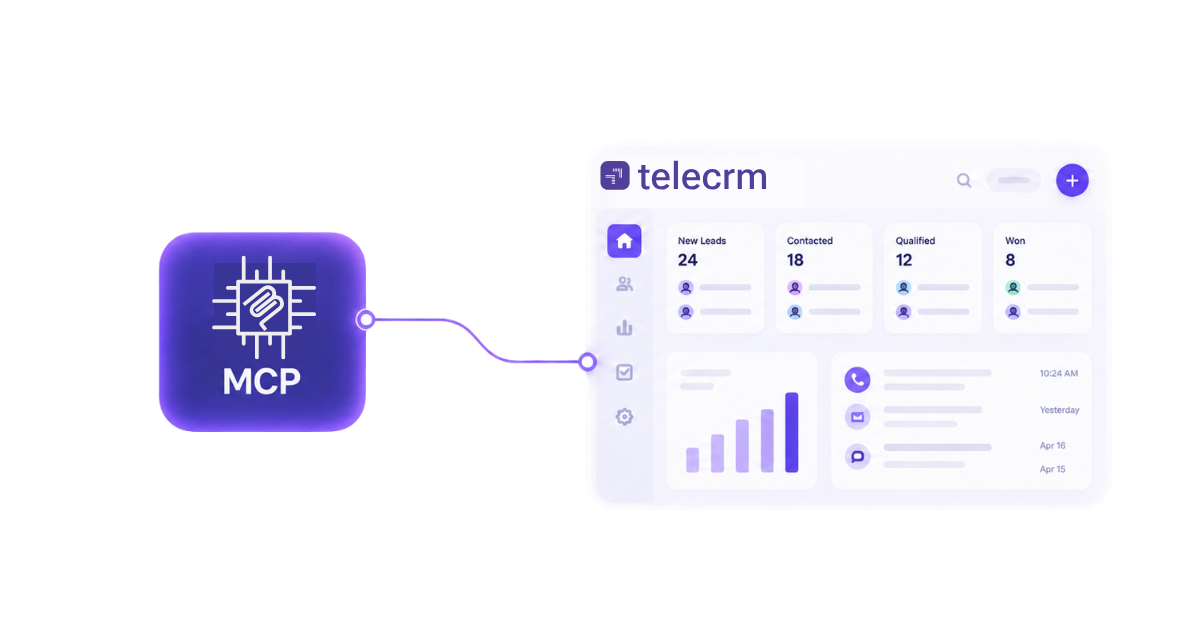
MCP integration is a way to connect an AI assistant with the tools and data you already use, such as databases, business software, files, code repositories or project management systems. So instead of AI only answering questions based on what it already knows, MCP can help it access live information and work with external tools.
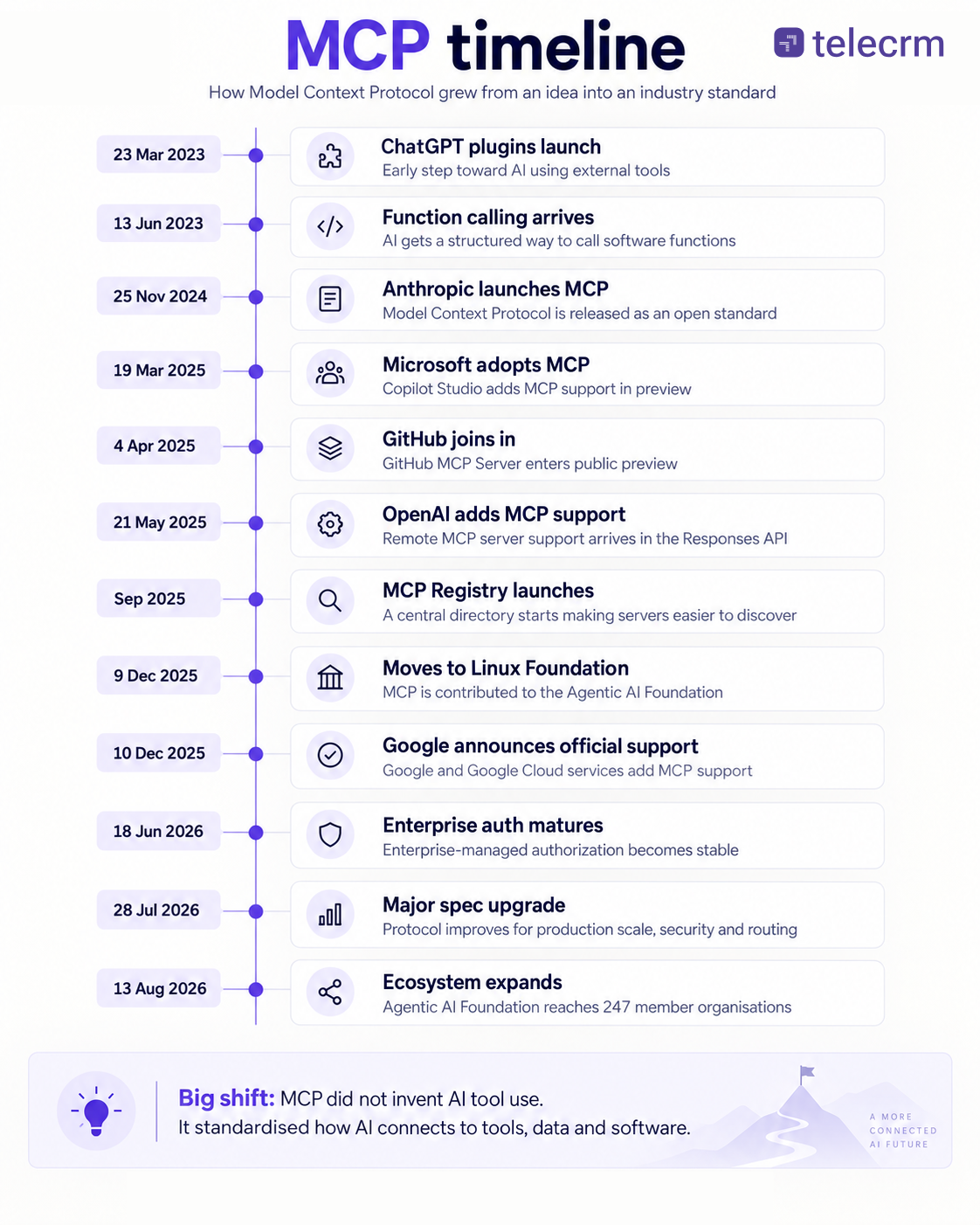
For example, an AI assistant could use MCP to check a database, read a file, look at project data or fetch information from another business tool before answering you. The idea of connecting AI with external tools is not new. Developers were already doing this through APIs, plugins and custom integrations. OpenAI introduced ChatGPT plugins in March 2023 and function calling in June 2023, both of which helped AI interact with outside systems.
MCP came into the picture later.
Anthropic introduced the Model Context Protocol on 25 November 2024. What was new was not the idea of AI using tools. The real difference was that MCP tried to create one common standard for these connections. Instead of building a completely different integration every time an AI system needs to connect with a new tool, MCP gives both sides a standard way to communicate.
That is why MCP became important so quickly. It made the idea of connecting AI with existing business tools much easier to standardise and scale.
MCP integration is a way for an AI application to connect with external tools, data and software through the model context protocol mcp.
The breakthrough was not a magical new AI capability. AI could already use APIs, plugins and custom functions before MCP existed. What MCP changed was the way those connections are organised.
Instead of every AI app needing a different custom integration for every tool, MCP gives both sides a common structure to work with as an open standard, using JSON-RPC 2.0 for communication. An MCP setup usually has three parts:
So the flow looks like this: User → AI application → MCP client → MCP server → external system
The important part is that the MCP server can tell the AI what it can access and what it can do. That is what makes MCP useful. It did not invent AI-tool integration. It made those integrations more standard, reusable and easier to scale across different AI systems.
To see how MCP evolved from early AI tool use into a widely adopted open standard, here’s a quick timeline of its major milestones.
MCP works in a clear sequence:
So the flow is: Connect → discover tools → understand request → choose tool → send input → fetch data → return result → continue if needed, with MCP acting as a standardized interface between the AI application and connected tools. That is how MCP works under the hood.
MCP can give an AI access to much more than just files or databases. What it can actually see or do depends on what the MCP server is built to expose and what permissions the user has given it.
Some common possibilities include:
A good example is Midscene, which moved to a Skills-based model in version 1.9.8. Through MCP-enabled tools, that model uses platform-specific CLI interfaces for automation the AI can carry out.
The powerful part is that an AI does not have to use only one data source at a time.
It can potentially pull information from multiple data sources, combine them and then decide what action to take next. For example, an AI agent could check an issue tracker, look at the related code in a GitHub repository, read the project documentation and then give you one combined answer.
So MCP is not just about giving AI more data. It is about giving AI controlled access to the tools, resources and actions it needs to work across different systems instead of staying limited to a single chat or application.
MCP and APIs are closely related, but they solve different problems.
An API gives one software system a defined way to communicate with another. Developers usually decide in advance which API endpoint to call, what data to send and what response to expect.
MCP adds a layer designed specifically as a universal adapter for AI systems and external tools.
Instead of hard-coding every possible action, an MCP server can describe the tools and capabilities available. The AI can then decide which one to use based on the user’s request.
API | MCP |
Connects software to software | Connects AI systems to tools and data |
Developers define the calls in advance | AI can choose from available tools |
Each API has its own structure | MCP provides a standardised interface |
Best for fixed, predictable workflows | Useful for flexible, natural-language requests |
Often powers the actual action | Often sits on top of existing APIs |
That common layer also improves AI interoperability across different systems and services.
The key point is that MCP does not replace APIs.
In many cases, the MCP server still uses the software’s existing API underneath. MCP simply gives the AI a standard way to discover and use those API-powered capabilities, and this open protocol reduces custom integration complexity.
So a simple way to think about it is:
API tells software how to perform an action.MCP helps AI understand which action is available and when to use it.
A CRM MCP integration connects an AI assistant with CRM data and actions through the Model Context Protocol.
The important part is not just that the AI can read CRM data. The MCP server can also tell the AI what CRM capabilities are available, such as finding leads, checking activities, reading notes, creating tasks or updating records.
MCP itself has also changed a lot since it was first introduced. Early implementations were focused more on connecting AI with local tools, but as adoption grew, authentication, permissions, remote servers and enterprise security became much more important.
Strategically, one of the biggest differences was that Anthropic kept MCP open instead of making it exclusive to Claude. That allowed other AI platforms, developers and software companies to support the same protocol.
For example, telecrm uses MCP to let sales managers access CRM insights through compatible AI assistants using natural language. Instead of manually digging through reports and lead records, they can ask questions about deals, follow-ups or team performance and get the relevant CRM data back through the MCP connection.
For CRMs, this creates an important shift. Instead of only building fixed automations like “when X happens, do Y,” businesses can also create AI-driven workflows for higher productivity, where the user explains what they want and the AI decides which CRM capabilities it needs to use.
MCP can be secure, but it depends on how the integration is set up. The main concern is that AI may get access to sensitive files, databases or business tools. Poor permissions, untrusted MCP servers or weak authentication can increase the risk of data leakage or unwanted actions, and different mcp server implementations vary in security and deployment complexity.
The safest approach is to:
So MCP itself is not automatically unsafe. The real risk comes from how much access you give it and how well that access is controlled.
If you are still skeptical about how secure MCP access really is? This telecrm explainer looks at what happens when an AI connects to CRM data through MCP and what controls determine what it can and cannot access.
Also read: What is CRM Data Security & Why SMBs Should Focus on it [2026]
MCP has changed the dynamics of AI integration and software development in a few important ways.
That is the bigger impact of MCP. It is helping move AI from being a separate application people talk to into a layer that can work across the software they already use.
MCP did not create a completely new AI capability. Its real breakthrough was giving AI systems a more standard way to discover, understand and use external tools.
That shift matters because AI is no longer limited to answering questions. With the right MCP integrations, it can work with live data, move across different systems and support more complex workflows.
For businesses, the opportunity is clear: the more easily AI can connect with the tools your team already uses, the more useful it becomes.
If you want to see what this looks like inside a CRM, explore how telecrm MCP lets you access CRM insights through AI using natural language. Want to see it in action? Book a demo of telecrm now!
MCP integration connects an AI application with external tools, data and software using the Model Context Protocol. It gives AI a standard way to discover and use available capabilities.
MCP stands for Model Context Protocol, an open protocol originally introduced by Anthropic in November 2024.
No. APIs allow software systems to communicate with each other, while MCP gives AI systems a standard way to discover and use those software capabilities. MCP often uses APIs underneath.
No. MCP usually works alongside existing APIs. The API performs the underlying action, while MCP helps the AI understand what actions are available and when to use them.
An MCP server exposes selected tools, resources and actions to an AI application. It acts as the connection layer between the AI and an external system.
An MCP client sits inside the AI application and communicates with MCP servers. It sends requests to the server and returns the results to the AI.
Depending on permissions, AI can access files, databases, code repositories, project data, business software, documentation and other external data sources. It may also perform actions such as creating or updating records.
AI agents need access to external tools and live data to do useful work. MCP gives them a more standard and reusable way to connect with those systems.
Yes. A CRM can expose selected data and actions through an MCP server, allowing an AI assistant to retrieve insights, search records or perform permitted CRM actions using natural language.



© Copyright 2026 telecrm.in (Flamon Cloudtech Pvt Ltd) - All Rights Reserved • Privacy Policy • T&C



© Copyright 2026 telecrm.in - All Rights Reserved • Privacy Policy • T&C