
If you run a sales team, you already know that generating leads is the easy part. What really decides your revenue is what happens after the lead enters your system because most businesses lose money when they don’t have an organised way to manage their leads.
Most teams struggle because they don’t have a central system that ensures:
That’s why lead management is essential in a business to give you more clarity and helps you close more deal with the same amount of leads.
Here are 10 stages in Lead management strategies and how you can hack to get 3x ROI in each step:
Most of the time, details about different attributes of the lead are stored in separate Excel sheets. For example in real-estate:
On the other hand, with telecrm all the info is stored in one place, along with their number.
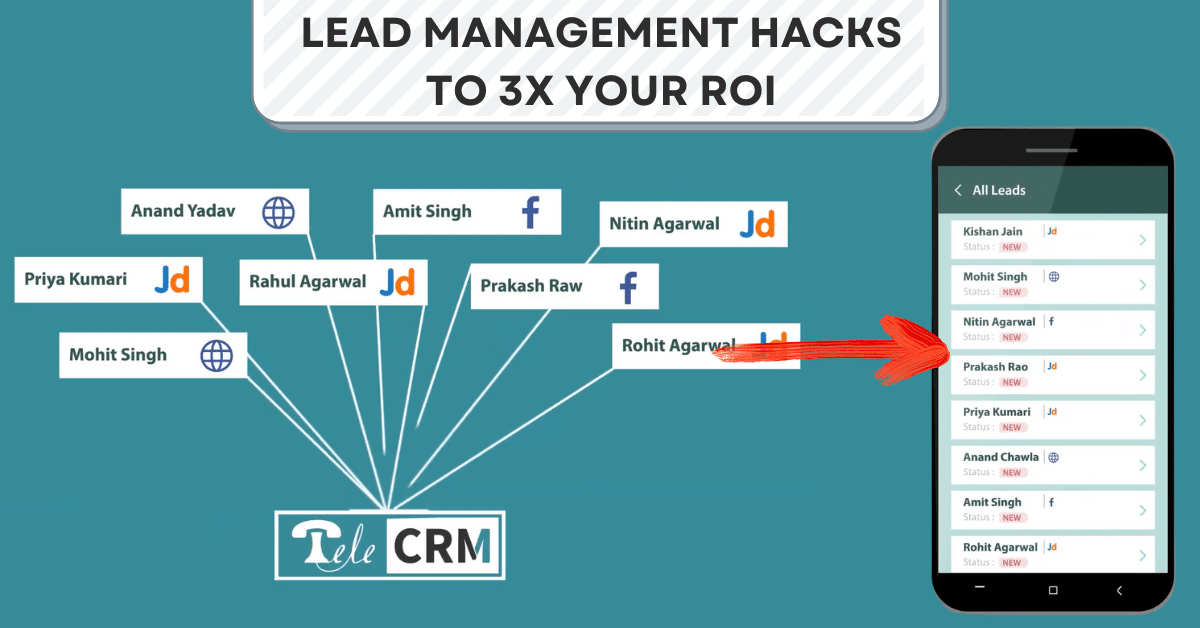
One of the biggest headaches for any sales manager is distributing leads and making sure that every team member has enough work to do. Usually, this means that the manager has to come in early, download leads from different platforms and distribute them to the telecallers/sales executives.

When you call a customer, knowing as much as you can about them helps. For example, We have website visit tracking, so when I saw that a particular prospect visited the privacy policy page, now I know that he cares about privacy.
Once I have this information before calling hi,m I can be better prepared to answer questions specific to privacy. Similarly, you can capture as much data as you want to have a detailed customer profile in telecrm. The best part is all the information is stored and accessible in a single simple timeline.

The Excel sheet is manageable if you have a plain and simple list of numbers for calling. But bigger sales teams hardly ever function like that! What if you want to run a calling campaign on leads interested in a particular SKU? Or leads acquired after last Sunday. Or the leads with whom there has been no interaction so far.
Nobody can maintain tons of data points in an Excel sheet. You will get a much better way by targeting people like this instead of blindly at random to your best people. Plus, these are just some of the examples. Check this article on telecrm filters that gives you a better sense of all the things that telecrm is capable of.
Answer one simple question – Which leads in your system are more likely to convert? Can you quickly extract the subset and assign it to a team member? No?
Then you are doing 2 things horribly wrong.
Here are 3 lead grading methods that you can easily implement with telecrm
There is no big deal in just storing data, as you can do that in Excel as well. But once you have the grading parameters, here are 3 things you can do in telecrm
Most sales executives focus on the deals that are closed or highly likely to close in the short term. But what about the leads that were interested but with a longer-term timeline? Most of the time, these leads get ignored. There is a very simple hack that you can apply to solve this problem. Just create a pending payment for those leads and then you can use the pending payment filter to reheat those leads in the future. Similarly, you can also use the failed payment option.
Also, if you have an online store or e-commerce then you can capture the pending/failed payments automatically in real time and ask your sales team to take that up on top priority.
One of the biggest reasons why most sales teams suffer is because of the lack of follow-ups or improper sequence of follow-ups. Unless you are selling a lot of ticket-sized product, it’s almost impossible to close a deal over a single call.
Which means you have to take follow-ups. And the best way to make sure that new followers do business is to create a systematic approach for making follow-ups. Just decide how many and in what sequence you want to arrange the follow-ups and then telecrm will help you with managing those follow-ups.
Scheduling is super simple. Just click on call later and select a date and time. You can also add the agenda of the call. To ensure secure and uninterrupted communication while accessing remote systems, consider using a business VPN, which safeguards your network and enhances data privacy during follow-ups
One is where sales executives leave a lot of potential revenue behind by not upselling to the customers who have already paid. The people who just purchased from you are the ones who now trust you. All you have to do is let them know about your additional offerings, and you can easily get more revenue, without the effort to add more customers. Doing this with telecrm is super simple – you can create filters like payment done in the last week and start calling the leads in that filter.
You can continue working in a haywire state or you can follow these lead management strategies and start working systematically & build a pipeline to get consistent, predictable growth. Plus what we have covered here are just some of the use cases and features of telecrm focusing on the Lead management aspect. But the core underlying idea is to help business owners like you build systems and workflow automation so that you can sell more while doing less work overall.



© Copyright 2026 telecrm.in - All Rights Reserved • Privacy Policy • T&C



© Copyright 2025 Telecrm.in - All Rights Reserved • Privacy Policy • T&C