
“I just spent 30 minutes on a call with a lead who doesn’t even have a budget.”
You can feel the frustration of the salesperson in that sentence alone. And if you’ve worked in sales or marketing for more than a week, you’ve probably heard some version of it before. This usually happens because one very important line gets missed: the line between a lead who genuinely wants to buy your product and one who is just interested enough to keep looking.
That single line is the difference between an MQL and an SQL.
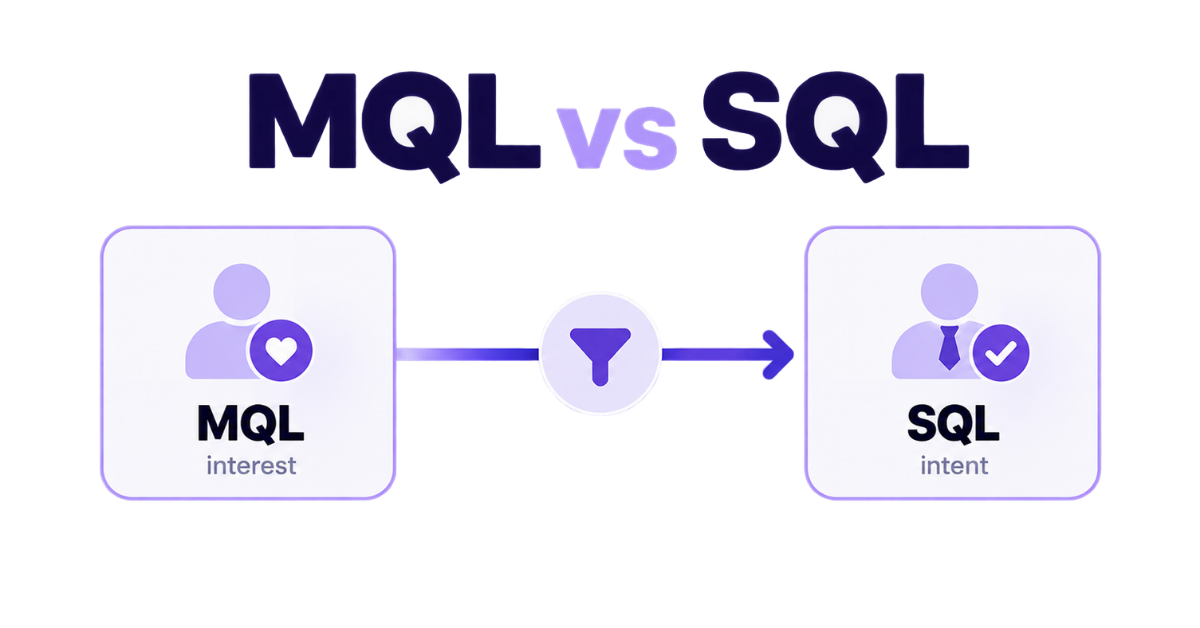
An MQL (Marketing Qualified Lead) is showing interest through things like content downloads, webinar sign-ups, email engagement or repeated website visits. An SQL (Sales Qualified Lead) has gone further — they fit your target customer profile, have a real problem to solve and show clear buying intent.
Push an MQL to sales too early and reps waste time on dead-end conversations. Hold onto an SQL for too long and you risk losing a serious buyer. In this guide, we’ll break down the difference between MQLs and SQLs, show you when a lead should move from marketing to sales and how to make that handoff smoother.
An MQL is a prospect who has raised their hand and shown real interest in your brand, but hasn’t explicitly said, “I want to buy your product.”
They aren’t complete strangers who stumbled onto your website by accident, but they aren’t active buyers yet either. They are in research mode. They know they have a problem, and they are actively using your marketing materials to figure out how to solve it.
An MQL is identified by their engagement with your marketing channels. Common triggers include:
A Sales Qualified Lead (SQL) is a prospect who has been vetted by your team, meets your target customer criteria and has shown clear, undeniable intent to buy.
If an MQL is someone who is doing research, an SQL is someone who is looking for a solution to buy right now. They have moved past the education phase and are actively evaluating products, discussing budgets and looking to make a decision.
Unlike an MQL who is just downloading free content, an SQL takes actions that show high buying intent. Common triggers include:
Now that we’ve defined MQLs and SQLs individually, let’s map out the core comparison section. Here is how these exact terms fit naturally into the breakdown of how marketing and sales teams collaborate to drive revenue growth.
The primary difference between marketing qualified leads (MQLs) and sales qualified leads (SQLs) lies in the lead’s sales readiness.
While an MQL appears interested by engaging with marketing content or downloading resources, an SQL demonstrates true purchase intent and high purchase intent through direct actions like requesting custom pricing or scheduling a demo.
Feature | Marketing Qualified Lead (MQL) | Sales Qualified Lead (SQL) |
Buying stage | Problem research & solution discovery | Active evaluation & purchasing decisions |
Position in sales funnel | Middle of the marketing funnel / sales funnel | Bottom of the funnel, ready for direct sales engagement |
Lead behaviour | Reads blogs, clicks brand messaging, checks pricing charts | Requests demos, fills out contact forms, asks about contracts |
Lead quality | High potential interest, unverified budget/authority | High lead quality, verified sales ready lead |
Primary owner | Marketing teams running marketing strategies | Sales reps leading direct sales conversations |
To transition an MQL to an SQL seamlessly, sales and marketing teams must establish a clear lead scoring system. By assigning points or stars based on demographic data (such as job title or company size in an enterprise company) and lead behaviour (such as viewing product comparisons), you can set an ideal lead score.
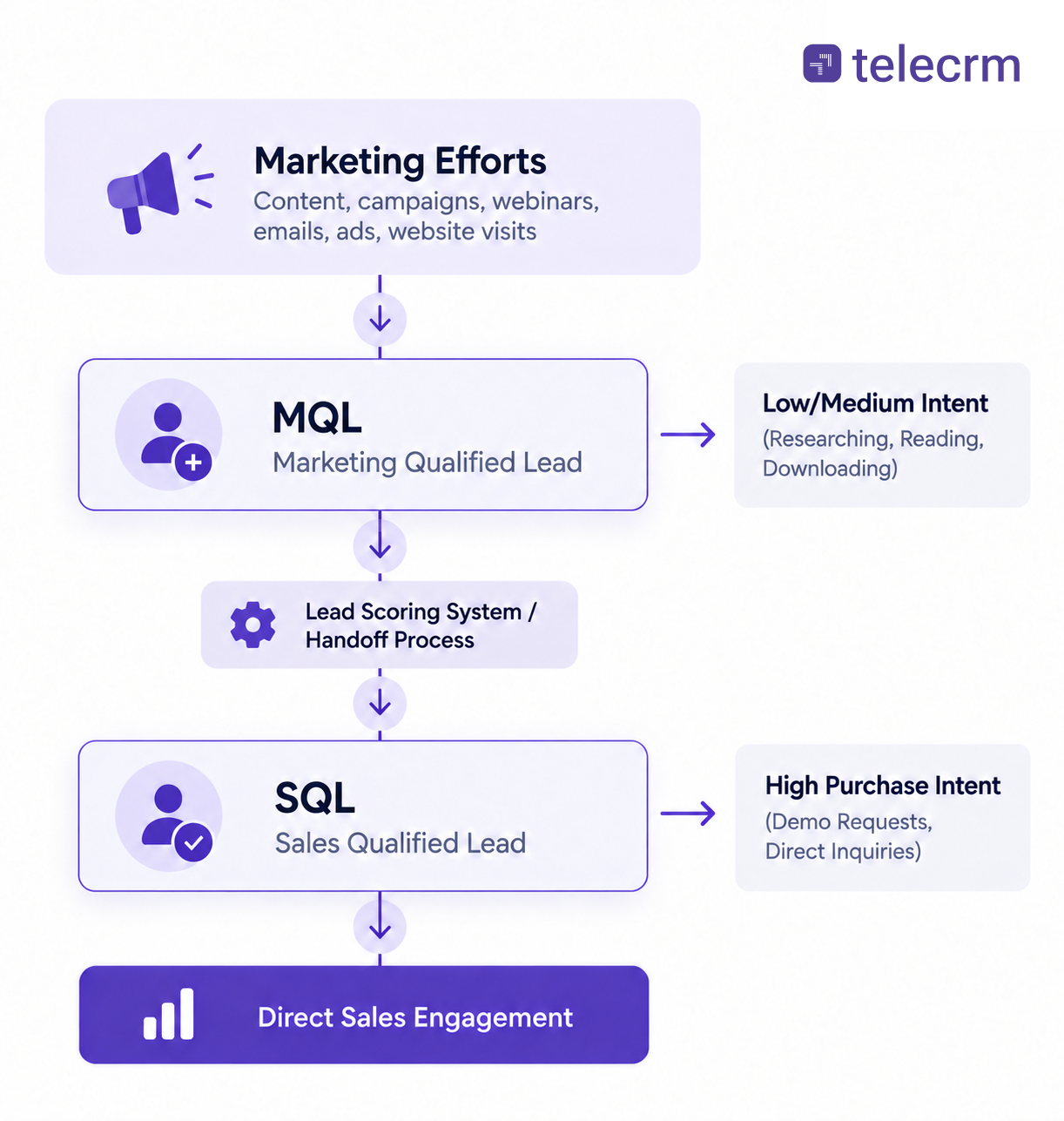
The MQL-to-SQL handoff is where the classic ‘Sales vs Marketing’ tiff usually begins. The transition is important because this is where most companies lose momentum. When marketing teams generate enough leads but sales reps don’t act on them or when sales gets overwhelmed with unvetted contacts, the entire sales process gets messy.
To keep your pipeline operating efficiently and drive consistent revenue growth, sales and marketing must align through a clear and systematic handoff process. Here is how to fix the gap and build a seamless transition:
Alignment starts with mutual accountability. An SLA clearly defines the rules of engagement between both teams:
Marketing’s promise: Marketing commits to delivering a specific volume of leads that meet agreed-upon qualification criteria (like target job title, company size or specific engagement triggers).
Sales’s promise: Sales commits to contacting qualified leads within a strict timeframe, ideally under 15 minutes and updating lead statuses in real time.
Instead of relying on gut feeling, use an automated lead scoring system to determine when a lead crosses the line from an MQL to an SQL.
Demographic scoring: Assign points for target traits (e.g., decision-maker roles or ideal industry).
Behavioural scoring: Award points for high-intent actions (e.g., viewing pricing pages or requesting a demo) and deduct points for low-intent actions (e.g., visiting career pages).
When a lead hits the target score threshold, the system automatically flags them as a sales ready lead.
Speed-to-lead is critical. Waiting hours to manually reassign spreadsheet rows lets hot leads cool down. Use automated routing rules to distribute leads instantly:
Round-robin: Spread incoming SQLs evenly among reps to maintain balanced workloads.
Territory & expertise: Direct leads to specific reps based on region, language or account size.
A handoff isn’t a one-way street. Sales must report back on lead quality so Marketing can refine their targeting:
Accepted leads: Moved forward into active direct sales conversations
Recycled leads: Leads with budget or timing constraints are sent back to Marketing for automated email nurturing until their sales readiness improves
Disqualified leads: Fake data or non-fits are marked clearly so Marketing can optimise ad spending and content
The biggest point of failure in the handoff process is manual effort. When reps have to export spreadsheets, manually verify leads or physically reassign contacts, speed-to-lead plummets and high-intent prospects go cold. telecrm eliminates these friction points by automating lead capture, tracking and distribution end-to-end.
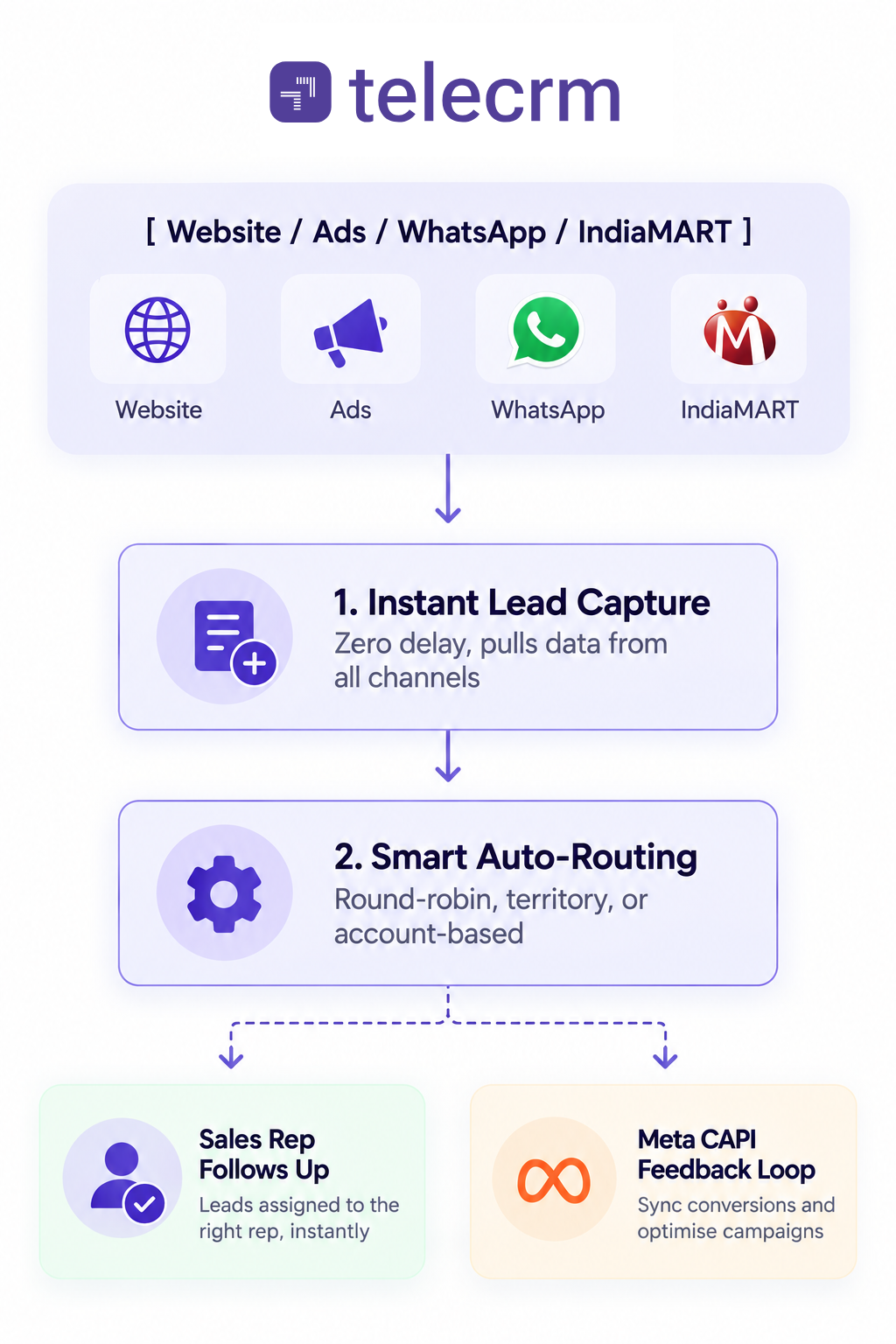
Here is how telecrm streamlines your entire pipeline:
How do you know when an MQL is actually ready to become an SQL? Lead scoring can show which prospects look promising, but lead qualification confirms whether there is a real sales opportunity worth handing to Sales.
Nobody goes into sales to act as a free consultant for people who will never buy. Yet without a clear line between an MQL and an SQL, that’s exactly what happens.
When there’s no filter in your pipeline, your reps burn half their day educating non-serious buyers while high-intent buyers get tired of waiting and head to a competitor. Getting sales and marketing aligned isn’t just corporate jargon, it’s how you protect your team’s time and build a predictable revenue engine.
Once you establish clear rules for lead readiness, stick to simple SLAs and let automation handle the heavy lifting. Marketing finally sees which campaigns bring in actual revenue, and your sales reps spend their days talking to people who actually have a budget, a real problem and a reason to buy today.
Stop letting your best leads go cold in static spreadsheets. Book your free telecrm demo today and start turning real buying intent into closed deals.
MQL comes first. An MQL (Marketing Qualified Lead) is a prospect showing interest through content downloads or site visits. Once they show clear buying intent—like requesting a demo or asking for pricing—they become an SQL (Sales Qualified Lead).
A healthy MQL-to-SQL conversion rate generally sits between 13% and 15%. If your ratio is lower than 10%, marketing is likely passing unqualified leads to sales. If it’s over 30%, your qualification criteria might be too strict, meaning you’re leaving money on the table.
MQLs aren’t calculated with a simple math formula; they are determined using a lead scoring model. You assign positive points for target demographics (e.g., job title) and engagement behaviours (e.g., visiting pricing pages) while deducting points for low-intent actions (e.g., viewing careers pages). When a prospect matches your predefined point threshold, they are considered as an MQL.
If an SQL isn’t ready to buy due to budget or timing constraints, Sales should “recycle” the lead back to Marketing. They go back into an automated WhatsApp / email nurture workflow to keep on engaging with them until they are ready to buy.
While automated CRM rules can identify an MQL based on actions like demo requests, the sales team makes the final call to accept the prospect as a true SQL after validating their budget, authority and needs.
telecrm captures incoming leads instantly from Meta Ads, Google, WhatsApp and website forms. It routes them to reps in seconds via automated rules. Plus, when a lead turns into an SQL, telecrm passes that signal back to your ad campaigns via Meta CAPI training your ads to bring in real buyers instead of low-intent clicks.



© Copyright 2026 telecrm.in (Flamon Cloudtech Pvt Ltd) - All Rights Reserved • Privacy Policy • T&C



© Copyright 2026 telecrm.in - All Rights Reserved • Privacy Policy • T&C