
Choosing the right CRM software can be difficult because most CRM platforms promise similar capabilities, including lead management, workflow automation, contact management and sales pipeline management. The real difference lies in how easily the CRM fits your sales process, how quickly your team adopts it and whether it gives you the customer data needed to make better decisions.
For Indian businesses, this fit becomes even more important. Many sales teams manage customer interactions through calls and WhatsApp, not email alone. The best CRM software should bring these conversations together, automate repetitive work, improve sales efficiency and help managers track leads, follow-ups and sales performance from one place.
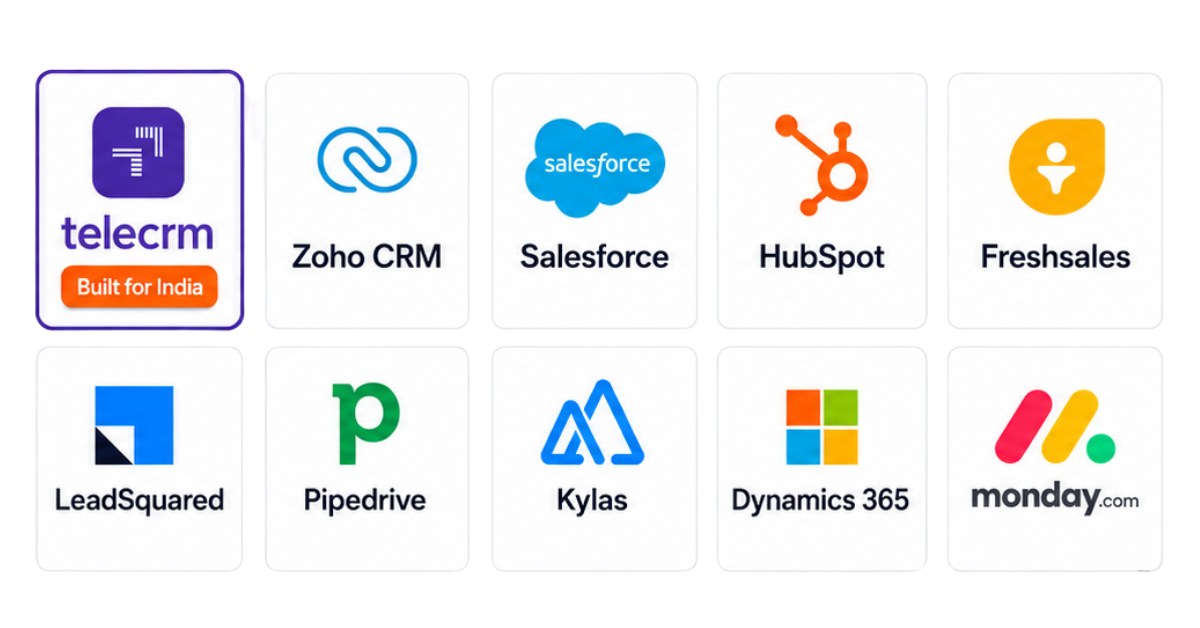
This guide compares the top 10 CRM software in India based on their features, pricing, strengths, limitations and ideal use cases. It covers telecrm, Zoho CRM, Salesforce, HubSpot CRM, Freshsales, LeadSquared, Pipedrive, Kylas, Microsoft Dynamics 365 Sales and monday CRM to help you choose the right CRM solution for your business.
The best CRM software depends on how your team sells, the number of leads it handles and the level of automation it needs. This table gives you a quick comparison before we examine each CRM platform in detail.
CRM software | Best for | Key strength | Starting price* |
telecrm | Indian teams selling through calls and WhatsApp | Native calling, WhatsApp, lead management and automation | ₹799/user/month, billed annually |
Zoho CRM | Businesses needing a highly customisable CRM | Extensive customisation and the wider Zoho ecosystem | ₹800/user/month, billed annually |
Salesforce | Large businesses with complex sales processes | Enterprise-level customisation, automation and AI | $25/user/month |
HubSpot CRM | Businesses bringing sales and marketing together | Connected marketing, sales and customer service tools | Free tools available; paid plans vary |
Freshsales | Growing sales teams needing a conventional sales CRM | Contact management, built-in communication and AI-based insights | ₹749/user/month, billed annually |
LeadSquared | High-volume sales and field sales teams | Lead distribution, process automation and sales execution | ₹2,500/user/month, billed annually |
Pipedrive | Teams that prioritise visual pipeline management | Simple deal tracking and activity-based selling | €14/seat/month, billed annually |
Kylas | Growing Indian businesses with larger teams | Unlimited-user plans and flexible sales workflows | Free edition available; paid plans are flat-priced |
Microsoft Dynamics 365 Sales | Businesses already using Microsoft products | Deep connection with Microsoft 365 and enterprise data | ₹5,410/user/month, paid yearly |
monday CRM | Teams wanting flexible, visual sales workflows | Customisable boards, automations and work management | Paid plans vary by plan and team size |
For Indian sales teams that rely heavily on calls and WhatsApp, telecrm is built around those workflows. Zoho CRM is better suited to businesses that need deeper customisation, Salesforce to complex enterprise sales processes, LeadSquared to high-volume lead operations and Pipedrive to teams that prefer simple visual pipeline management.
The right CRM depends on your sales channels, lead volume, automation needs, integrations, team size and budget.
We evaluated each CRM software based on how well it helps a business manage customer relationships, organise customer data and improve everyday sales processes. The objective was not to find the CRM with the longest feature list, but the one that solves a specific type of sales problem effectively.
The comparison is based on the following factors:
We also considered the kind of business each CRM platform serves best. A CRM designed for an enterprise sales operation should not be evaluated in the same way as one built for a small calling team. Each option is therefore recommended for a specific use case rather than presented as the best choice for every business.
Best for: Indian sales teams that manage high volumes of leads through calls and WhatsApp
telecrm is a customer relationship management software built around the way many Indian sales teams work. Instead of treating email as the primary communication channel, it brings lead management, calling, WhatsApp conversations, follow-ups, sales automation and team tracking into one CRM platform.
The CRM is particularly suitable for businesses in real estate, education, finance, travel, insurance, automobile and other industries where sales reps need to contact new enquiries quickly. Leads can be captured from websites, spreadsheets, advertising platforms, IndiaMART, Justdial and other connected sources. This reduces manual data entry and gives the team one place to manage leads from different channels.
Choosing the software is only the first step. A structured CRM onboarding process helps configure the system correctly and gets sales reps to use it consistently.
telecrm is less suitable for businesses that need advanced email marketing, ecommerce automation or a large global marketplace of applications. ChatSync is an add-on, while WhatsApp Cloud API requires a one-time setup charge and Meta messaging charges apply separately.
Check current telecrm pricing.
Best for: Businesses that need a customisable CRM connected to a wider suite of business tools
Zoho CRM is customer relationship management software for businesses of different sizes and industries. It combines lead management, contact management, sales automation, workflow automation, forecasting and customer engagement in one system. Its main strength is flexibility, but setting it up properly requires a clear understanding of your sales processes.
Zoho CRM offers extensive functionality, but this can make the initial setup feel complicated. Businesses may need time to configure modules, fields, workflows and permissions before the system reflects their actual processes. Some AI, automation, analytics and customisation features are also restricted to higher plans.
Best for: Large businesses that need extensive customisation for complex sales processes
Salesforce Sales Cloud is a customer relationship management platform designed to manage leads, accounts, contacts, opportunities and sales activities at scale. It can support sales, marketing and customer service teams across different departments, regions and business units. Its strength lies in how deeply it can be customised, although that flexibility also makes it more demanding to implement and manage.
Salesforce can be too complex for a small team that only needs basic CRM tools. Proper implementation often requires an internal administrator, trained consultants or a Salesforce partner. The total cost can also rise significantly after adding implementation, support, AI, API access, marketing automation and other products.
If Salesforce feels too complex or expensive for your requirements, compare the best Salesforce CRM alternatives for Indian businesses
Check Salesforce Sales pricing
Best for: Businesses that want sales, marketing and customer service tools connected to the same customer data
HubSpot CRM is part of HubSpot’s customer platform, which includes separate products for sales, marketing, customer service, content, data management and commerce. Its free CRM covers basic contact and pipeline management, while advanced sales automation, forecasting, AI and reporting are available through paid Sales Hub plans.
The free CRM is useful for basic customer management, but growing teams may quickly need paid plans for workflow automation, forecasting, lead scoring and advanced reports. Costs can rise as a business adds more seats, marketing contacts, hubs and onboarding services. It is also more email-focused than CRMs built specifically around Indian calling and WhatsApp workflows.
Before selecting a plan, explore our complete HubSpot pricing breakdown to understand how seats, features and additional hubs affect the final cost
Professional requires a one-time onboarding fee. Promotional pricing and plan packaging may change, so businesses should confirm the final cost before buying.
Check HubSpot Sales Hub pricing.
Best for: Growing businesses that need a straightforward sales CRM with built-in communication and AI-powered insights
Freshsales is an AI-powered CRM software developed by Freshworks. It brings customer data, lead management, sales pipeline management, email, phone and workflow automation into one platform. Its interface is less complex than many enterprise CRM systems, making it suitable for small and mid-sized sales teams that want to start quickly.
Some of its most useful features, including contact scoring, deal insights, territory management and sales sequences, are not included in the entry plan. Forecasting, custom modules, field-level permissions, sandbox access and audit logs require the Enterprise plan. Businesses should also confirm telephony charges and AI usage costs separately.
Freshsales offers a 21-day free trial. Check Freshsales pricing.
Best for: Businesses that manage high volumes of enquiries across inside sales, field sales and multi-stage conversion processes
LeadSquared is an AI-powered sales CRM designed for high-volume sales operations. It is widely suited to sectors such as education, financial services, healthcare, insurance and real estate, where teams receive large numbers of leads and must contact, qualify and move them through defined processes quickly.
LeadSquared is built for structured, high-volume sales processes, so it may feel excessive for small teams that only need basic contact management and a visual pipeline. Implementation and custom workflow setup may require professional support. The final cost can also increase when a business adds marketing automation, telephony, field sales tools or other modules.
Pricing for larger deployments, additional products and industry-specific requirements is provided based on the selected users, modules and workflows.
Check LeadSquared Sales CRM pricing.
Best for: Sales teams that want simple, visual pipeline management with clear activity tracking
Pipedrive is a sales-focused CRM built around visual pipelines and activity-based selling. It helps sales reps organise leads, track deals and plan the next action required to move each opportunity forward. Its interface is easier to understand than many enterprise CRM platforms, making it useful for teams that want structure without heavy implementation.
Effective CRM customer data management keeps contact details, communication history and sales activity organised and accessible across teams.
Pipedrive is strong for sales pipeline management but less suitable for businesses that need advanced marketing automation or customer service tools in the same platform. Lead generation, project management, campaigns and some document tools are sold as add-ons. Indian teams that depend heavily on SIM calling and WhatsApp may also require third-party integrations.
Pipedrive provides a 14-day free trial. Prices exclude applicable taxes and may appear in a different currency based on location.
Best for: Growing Indian businesses that want a sales CRM with unlimited users
Kylas is a sales CRM developed for growing businesses in India. Unlike CRM platforms that charge separately for every user, its paid plans use flat pricing with unlimited users. It covers lead management, deal tracking, sales automation, communication, reporting and field sales processes.
Lead management: Kylas stores each lead’s details, owner, activity history and pipeline position in one record. Leads can be added manually, imported through CSV files, captured through web forms or received from connected portals such as IndiaMART and Justdial.
Contact and company management: Businesses can maintain separate records for individuals and companies. Multiple contacts can be connected to one company, making the CRM useful for account-based and B2B sales processes.
Deal management: Sales reps can track deal value, revenue forecasts, activities, communication and ownership. Managers can use this information to understand which opportunities are active and which require intervention.
Custom sales pipelines: Teams can create separate pipelines for leads and deals and customise the stages based on their sales process. This helps businesses manage different products, teams or conversion journeys inside the same CRM system.
Automatic lead routing: Paid plans can distribute leads automatically based on defined conditions such as source, location or team. This reduces manual assignment and helps new enquiries reach the appropriate representative faster.
Workflow automation: Kylas can automate tasks, communication and record updates using workflows. The Elevate plan includes a limited number of workflows, while additional workflows can be purchased separately.
Calling and call logging: Kylas connects with supported IVR and telephony providers so teams can make, receive and log calls. Sales reps can also maintain manual call logs and create follow-up tasks based on customer conversations.
WhatsApp integration: Paid plans support WhatsApp Business integration for sending messages to prospects and storing communication in the CRM. The setup, provider charges and message costs may depend on the selected integration.
Quotations: Sales reps can add products and services, prepare quotations and send them to contacts from the CRM. This helps connect sales pipeline management with the commercial proposal process.
Field sales tracking: Field sales add-ons support attendance, geo check-ins, live location and activity timelines. These tools help managers track representatives who spend most of their time visiting customers.
Access control: Businesses can create teams, organisational hierarchies, user profiles and data-sharing rules. Higher plans and add-ons provide additional security controls such as number masking, IP restrictions and two-factor authentication.
Mobile access: Kylas provides Android and iOS applications so sales reps can access leads, deals, tasks and customer data while working outside the office.
A well-designed CRM workflow can automate lead assignment, reminders, record updates and repetitive sales tasks.
The free plan has record limits and excludes workflow automation, telephony, WhatsApp, email connections and several integrations. Many advanced capabilities, including field sales tracking, business intelligence, security controls, account management and additional workflows, are priced as add-ons. Flat pricing may also be less economical for a very small team.
Best for: Mid-sized and large businesses already using Microsoft 365, Teams, Outlook, Power BI or other Dynamics products
Microsoft Dynamics 365 Sales is an enterprise CRM platform that helps businesses manage leads, customer data, opportunities, sales activities and forecasts. Its main advantage is its connection with Microsoft’s wider ecosystem, allowing sales teams to work with CRM data through familiar tools such as Outlook, Teams and Excel.
Lead management: Dynamics 365 Sales stores lead information, source, activities and qualification details in one record. Sales reps can qualify a lead and convert it into an account, contact and opportunity without entering the same customer data again.
Copilot in Dynamics 365 Sales: Copilot can summarise leads and opportunities, prepare users for meetings, draft emails and answer questions using CRM data. Enterprise and Premium plans include wider AI and agentic capabilities, while access depends on the selected licence and setup.
Lead and opportunity scoring: AI-powered scoring can help representatives prioritise leads and opportunities based on customer data and previous sales patterns. This allows teams to focus on prospects that show a stronger likelihood of progressing.
Sales forecasting: Managers can create forecasts based on opportunity values, sales stages, territories and targets. Predictive forecasting can use historical CRM data to provide additional insights into expected sales performance.
Conversation intelligence: Dynamics 365 can analyse sales calls held through Microsoft Teams. It can provide transcripts, summaries, keywords, customer sentiment and suggestions, helping managers review calls and coach sales reps more efficiently.
Outlook integration: Sales reps can access Dynamics 365 records from Outlook, connect emails with contacts and opportunities and create CRM records without changing applications. This reduces manual data entry and keeps communication history updated.
Product, quote and order management: Sales teams can manage product catalogues, price lists, quotes and orders. This helps businesses connect opportunity management with later stages of the sales cycle.
Customisation: Businesses can customise tables, forms, fields, views, dashboards and business process flows. Advanced customisation can require technical knowledge or help from a Microsoft implementation partner.
Mobile access: The mobile application lets sales reps check customer records, update opportunities, complete tasks and manage activities while travelling or meeting customers.
Dynamics 365 Sales can be difficult to implement without technical support, particularly when custom business processes, data migration and Microsoft Power Platform integrations are involved. The licence cost is also high for smaller businesses, and products for marketing automation, customer service and field service require separate licences.
GST is charged separately. Check Microsoft Dynamics 365 Sales pricing.
Best for: Teams that want a flexible, visual CRM they can customise without developers
monday CRM is an AI-powered sales platform built on monday.com’s no-code work management system. It brings lead management, contact management, deal tracking, sales automation, email activity and forecasting into visual boards. Its flexibility makes it useful for teams that want to design their own sales workflows instead of following a rigid CRM structure.
Lead management: Teams can capture leads through forms, campaigns, imports and connected applications. Leads can be stored with details such as source, status, owner, company, contact information and last interaction.
Automatic lead assignment: monday CRM can distribute leads through round-robin rules or custom assignment conditions. For example, a lead can be assigned based on region, product or team, helping businesses respond without manually checking every new enquiry.
Contact and account management: Separate boards can be used for contacts, accounts and deals. These boards can be connected so sales reps can open an opportunity and check the related company, decision-makers and previous customer interactions.
Email sequences: Teams can create automated follow-up sequences that respond to deal stages, inactivity or selected dates. Sequences can pause when a prospect replies, preventing unnecessary messages after a conversation has started.
Mass email: monday CRM supports personalised mass emails with templates and dynamic fields. Email engagement, including opens and clicks, can be used to prioritise follow-ups or trigger automation.
Deal alerts: The CRM can flag deals that have remained inactive or stayed in one stage for too long. This helps managers identify opportunities that may be at risk before they affect the sales forecast.
Sales forecasting: monday CRM uses deal values, stages and expected closing dates to create sales forecasts. Managers can build dashboards for pipeline value, conversion rate, revenue targets and individual sales performance.
monday AI: monday AI can analyse deal activity, identify risks, prepare representatives for meetings and suggest next steps. Sidekick acts as a context-aware assistant, while AI Notetaker can record, transcribe and summarise meetings. Usage depends on the AI credits and notetaker hours included in the plan.
Quotes and invoices: Teams can create and share customisable quotes and invoices from the CRM. The number allowed per month depends on the selected plan.
Sales and project management: A won deal can trigger a new onboarding or delivery workflow. This helps sales and project management teams transfer the customer without losing communication history, documents or agreed next steps.
Integrations: monday CRM connects with applications such as Gmail, Outlook, Google Sheets, Slack, Microsoft Teams and Facebook Ads. It also supports integrations with other tools through monday.com’s marketplace.
Mobile access: Android and iOS applications allow sales reps to check customer data, update deals and log activities. monday CRM also supports offline mobile access for selected functions.
Its flexibility can become a disadvantage if a business builds too many boards, columns and automations without a clear structure. Entry plans also limit active contacts, deals, dashboards, columns, workspaces and automation actions. Calling and WhatsApp-led sales teams may need additional integrations, and AI usage is governed by credits.
Plans begin with a minimum of three users. monday CRM provides a 14-day free trial, and taxes are charged separately.
If your sales team works on calls and WhatsApp, telecrm is built around the way they already sell. It captures leads from multiple sources, assigns them automatically and gives reps one clear system to call, message, follow up and move every lead towards conversion.
Managers get complete visibility into calls, recordings, WhatsApp conversations, follow-ups, pipeline movement and sales performance. AI-powered call analysis helps them understand conversation quality and customer intent without manually reviewing every interaction.
Instead of connecting separate tools for lead management, calling, WhatsApp, automation and reporting, bring the complete sales process into telecrm.
Book a demo and find out how telecrm can help your team convert more leads.
CRM software is a system that helps businesses store customer data, manage leads, track customer interactions and organise sales processes. It gives sales, marketing and customer service teams one shared place to manage customer relationships instead of relying on spreadsheets, personal phones and disconnected tools.
Customer relationship management software helps businesses reduce missed follow-ups, automate repetitive work and maintain a complete history of every customer interaction. It also gives managers clearer visibility into the sales pipeline, team activity, customer behaviour and overall business performance.
The key features of CRM software include lead management, contact management, sales pipeline management, workflow automation, follow-up reminders, sales forecasting, reports, mobile access and integrations. Businesses that sell through calls and WhatsApp should also check whether these communication channels are supported natively.
The best CRM software in India depends on your sales process. telecrm suits teams selling through calls and WhatsApp, LeadSquared supports high-volume sales operations and Salesforce fits complex enterprise requirements. The right choice is the CRM your team can use consistently.
Small businesses should choose an affordable CRM that is easy to implement and does not require a dedicated technical administrator. It should capture leads, manage follow-ups, automate basic workflows and show sales performance clearly. The software should also scale without making everyday work unnecessarily complicated.
CRM software pricing varies by provider, plan, team size and billing cycle. Some platforms offer free plans, while paid CRM tools can range from a few hundred rupees to several thousand rupees per user/month. Implementation, calling, WhatsApp, AI, support and integrations may cost extra.



© Copyright 2026 telecrm.in (Flamon Cloudtech Pvt Ltd) - All Rights Reserved • Privacy Policy • T&C



© Copyright 2026 telecrm.in - All Rights Reserved • Privacy Policy • T&C