
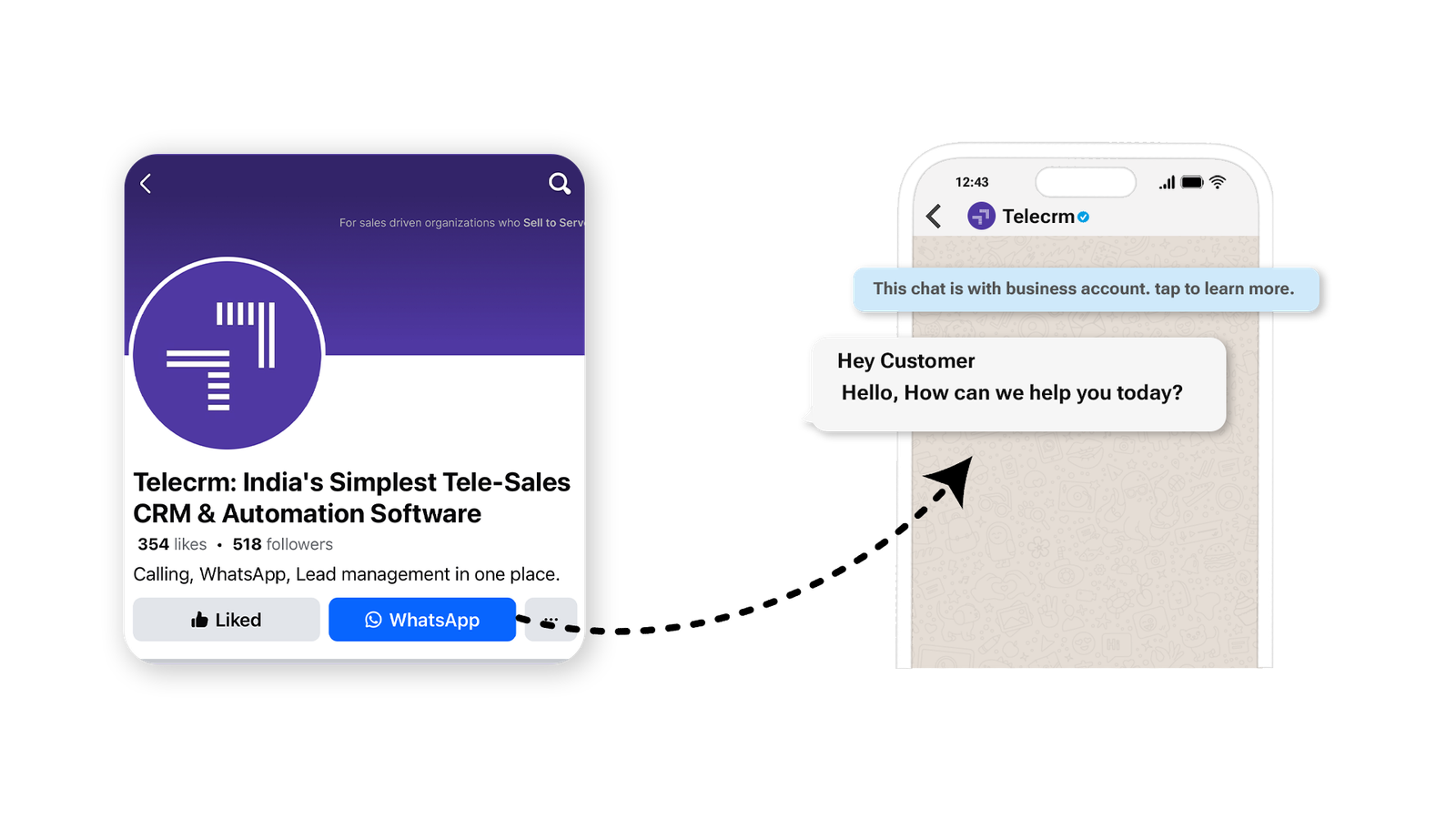

You already know the importance of communication between a business and a customer. It’s still the thing that decides whether customers will do business with you or not. And, as we all know, one of the best platforms to engage with customers is WhatsApp. So, knowing how to add a WhatsApp button to your Facebook Page can improve your business communication.
If you are a business owner who already has an established business and a strong online presence, you must already be using Facebook to generate leads for your business.
But are there times when you would rather redirect your leads to WhatsApp and not Facebook Messenger when they try to contact you via your Facebook Page?
If yes, then stick around to find out how you can add a WhatsApp button on your Facebook Page. In this guide, you’ll learn the prerequisites, the exact steps to add the button and when this setup makes more sense than sending people to Messenger.
Adding a WhatsApp button to your Facebook Page lets people open a WhatsApp chat with your business directly from the page. Instead of sending people to Messenger or asking them to save your number manually, it gives them a direct way to start the conversation. To set it up, you usually need a WhatsApp Business number and admin or editor access to the Facebook Page.
WhatsApp’s Help Centre confirms that linking a WhatsApp Business account to a Facebook Page can display a WhatsApp button on the Page.
Read: WhatsApp Marketing
You need to have these 2 prerequisites before you can add a WhatsApp button to your Facebook Page.

You’ll need a WhatsApp Business app account or a WhatsApp Business Platform number, depending on how your business manages WhatsApp. If you don’t have one, don’t worry! You can download the WhatsApp Business app from Google Play or App Store. Once it’s installed, just follow the simple setup steps. When completed, link your WhatsApp Business app with your business phone number.
Note: If you are using the regular version of the WhatsApp app for business communications and want to switch to the business app without losing data, read our blog titled ‘How to change WhatsApp to a business account.‘
To make changes to your Facebook Page, like adding a WhatsApp button, you need Page access with full control or the required business permissions.
To add a WhatsApp button to your Facebook business Page, you need to follow the sequence of steps mentioned below carefully:
Meta’s own learning guide also lists “Send WhatsApp message” as an action button option for Facebook Pages.
1. Head to your Facebook login page and log into your Facebook business account.
2. Go to your Facebook business Page and do the following:
a) Click on the three dots
b) Then click ‘Add Action Button’ from the drop-down menu

3. Now select ‘Send Whatsapp Message‘ from the ‘Get people to contact you’ menu and click Next.

4. Select your country code and enter your WhatsApp Business number. Once done, click on ‘Send code’.

5. Now enter the code you have received on your phone. That’s it. You will see the WhatsApp button on your Facebook page.

Note: If your business uses a WhatsApp Business Platform number, you can still connect that number to your Page and use it for customer conversations. The setup logic is similar, but your connected assets and permissions should already be configured correctly inside Meta. For clearer directions, read Guide from Meta.
Pro tip: You can run WhatsApp ads from Facebook Ads Manager. To know more, read our blog on WhatsApp Ads
While both WhatsApp and Facebook Messenger help businesses talk to customers, WhatsApp has increasingly become the preferred communication channel for customer enquiries, especially for small and medium-sized businesses.
Here’s why many businesses now prioritise WhatsApp over Messenger:
| Feature | Facebook Messenger | |
|---|---|---|
| Open rates | Much higher | Lower |
| User activity | Frequently checked daily | Less active for many users |
| Mobile experience | Native and frictionless | Extra redirects possible |
| Follow-up conversations | Easier to continue | Conversations often get lost |
| Customer trust | Feels more personal and direct | Often seen as promotional |
| Business communication | Widely accepted | Less preferred in some regions |
For businesses in India especially, customers are already highly active on WhatsApp for personal communication. This reduces friction and makes it easier for them to ask questions, enquire about products, or continue conversations after seeing your Facebook Page.
Adding a WhatsApp button to your Facebook Page helps move potential leads into a faster and more direct communication channel.
Adding a WhatsApp button makes it easier for interested visitors to start a conversation with your business from the same place where they discover your brand. Here are the main advantages:
Instant communication: When you add a WhatsApp button, it means anyone can message you on WhatsApp without having to wait around for emails or phone calls. This quick and easy way of communication helps you stay connected with your audience in real time.
Increased trust: By bringing leads/customers directly to your WhatsApp chat, you can engage with them instantly by sending warm and engaging greeting messages and addressing any issues they may have. This builds trust and credibility because your audience knows you’re just a message away, making them feel more confident about doing business with you.
Potential sales: The easier it is for people to contact you, the more likely they are to become your customers. With just a click on the WhatsApp button from your FB Page, interested prospects can get more information about the product by chatting with your sales agents on WhatsApp, increasing the chances of a purchase and becoming loyal customers.
Also read: WhatsApp Automation
Sometimes the WhatsApp button may not appear immediately after setup. Here are some common reasons and how to fix them.
Facebook Pages work best with the WhatsApp Business app instead of a personal WhatsApp account.
If you’re using a personal number, consider switching to WhatsApp Business first.
Only Page admins or users with full control permissions can connect WhatsApp to a Facebook Page.
You can verify this inside:
Meta Business Suite → Settings → Page Access
When entering your WhatsApp number, always include the correct country code.
Example:
+91 for India
Even a small formatting mistake can prevent the connection from working.
Sometimes Meta takes a few minutes to display the WhatsApp button publicly.
Try:
Older Facebook Page layouts may not show all WhatsApp integration options properly.
Updating to Meta’s newer Pages experience can often solve visibility issues.
If the setup fails midway:
This resolves many syncing issues between WhatsApp and Facebook.
If you would like to leverage features like automated messages, bulk messaging, chatbots etc. To improve your business communication, then get the WhatsApp API from an official API provider like telecrm, India’s best WhatsApp CRM tool.
This is optional, but it can prove handy if you are planning to scale your business.
Read: Types of WhatsApp
If your business already gets enquiries on Facebook, adding a WhatsApp button is a simple way to move those conversations to a faster, more direct channel. Adding a WhatsApp button is more than just a convenience; it’s a strategic move aimed at building stronger relationships with your customers and potentially increasing sales by making it easier for customers to reach out to you.
Don’t miss out on this opportunity to make your business more accessible to your target audience.In most cases, you can set this up in a few simple steps, as long as your Page access and WhatsApp number are ready.
Now, the WhatsApp button will appear on your Facebook page.
There could be several reasons why you’re unable to add a WhatsApp button on your Facebook page:
To add a WhatsApp button on your Facebook page, ensure you have a WhatsApp Business account and admin access to the Facebook page. Download and set up WhatsApp Business from the app store, and make sure you’re an admin or editor on your Facebook page to add the button.



© Copyright 2026 telecrm.in (Flamon Cloudtech Pvt Ltd) - All Rights Reserved • Privacy Policy • T&C



© Copyright 2026 telecrm.in - All Rights Reserved • Privacy Policy • T&C